English
-38-
• Check the Preview HTML Page to preview the HTML
page before exporting.
14. Click the Export button to export the selected talking image to
multimedia format.
• How can I fine-tune the model image for more realistic facial
movement?
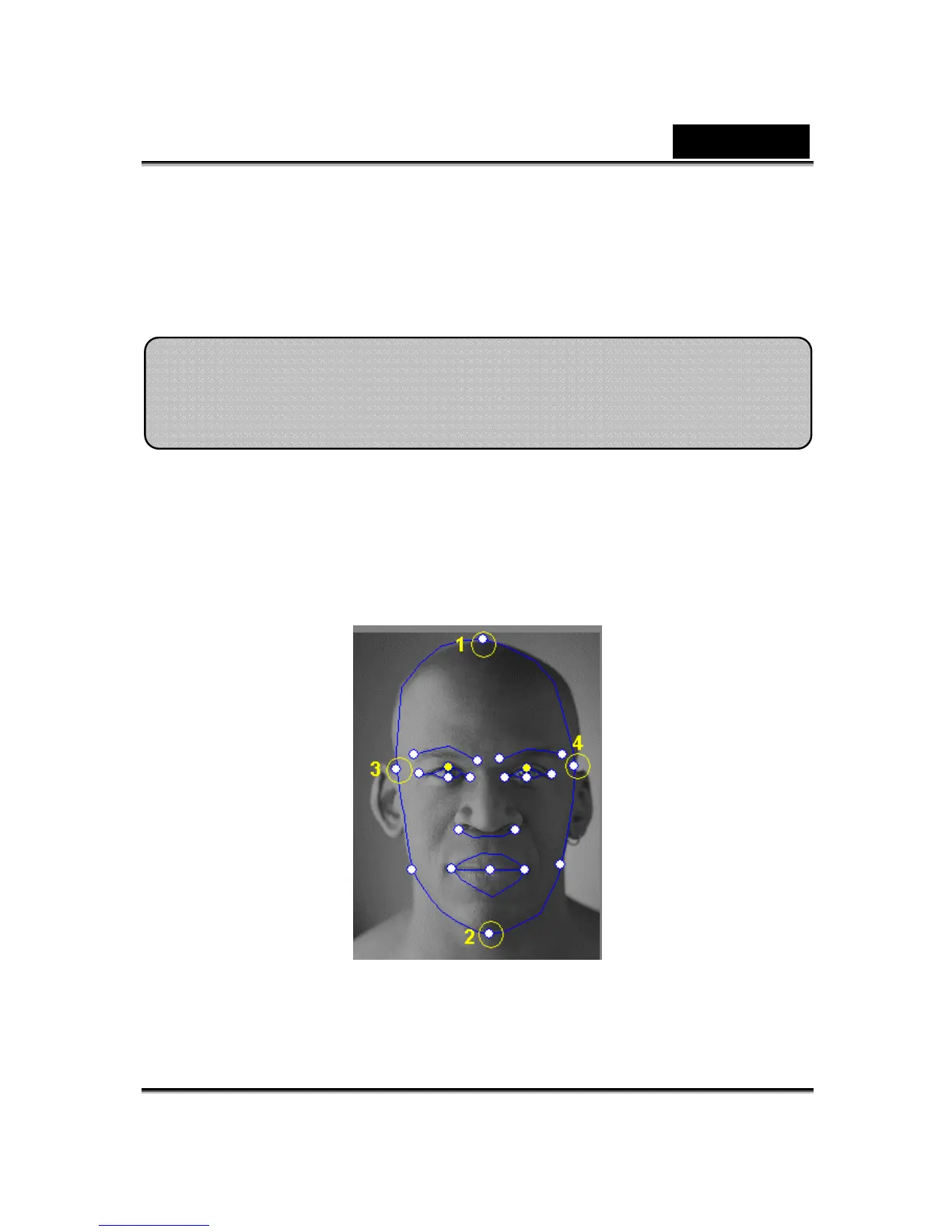
a. The control point 1, 2, 3 and 4 are the key to control the facial mesh
morphing. 1, 2 control the vertical movement strength and 3, 4 controls
the horizontal movement strength.
Tips and Suggestions Facial Fitting
Ti














 To Next Page