Service Manual
Chapter 4. Testing Procedures
Step 1
Connecting the GHT-511 to a DVD or VCD player. Play a music CD on it.
Step 2
Power on the GHT-511.
Step 3
Rotate the volume knob if it changes the volume level of each channel.
Step 4
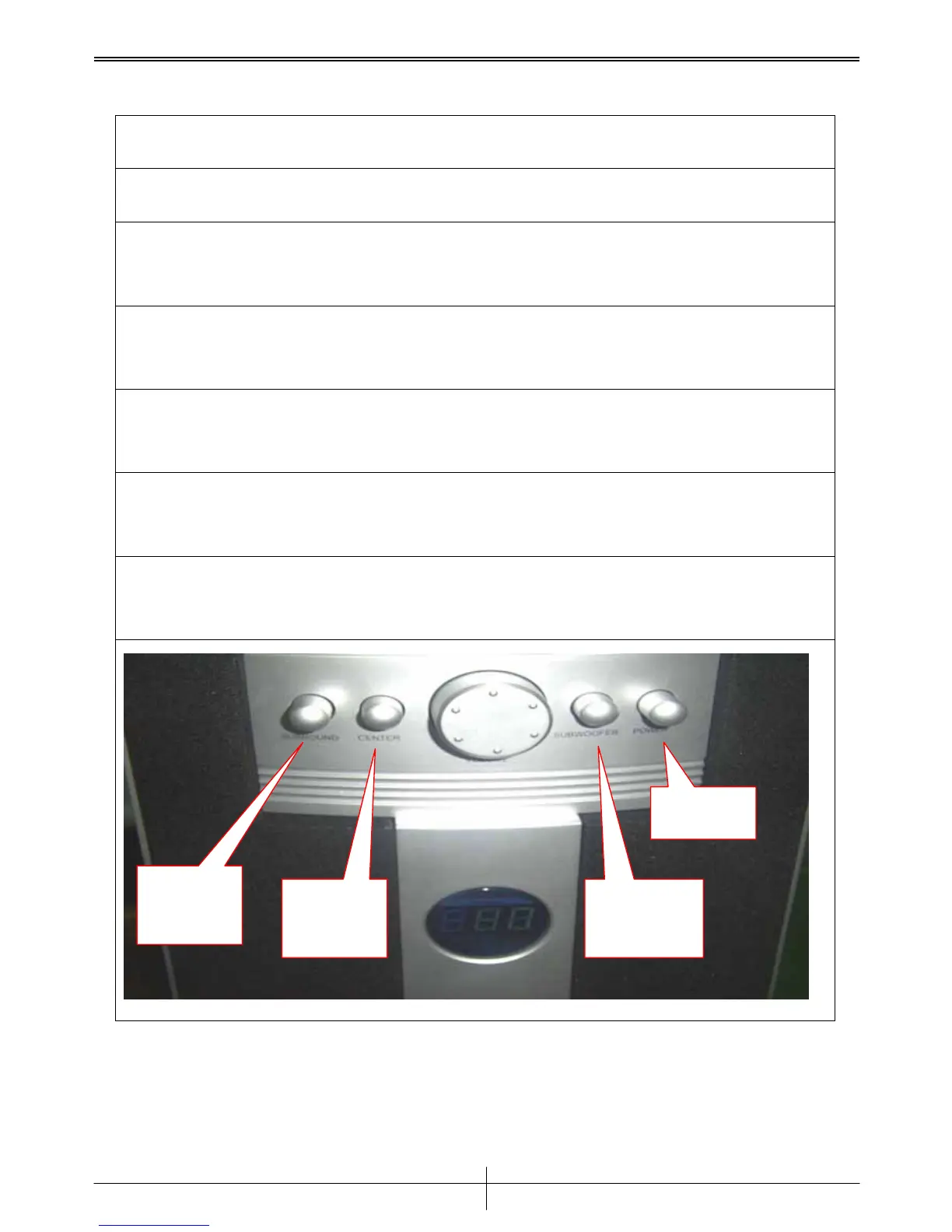
Rotate the Surround volume knob if it change the volume level of Surround
channel.
Step 5
Rotate the Center volume knob if it change the volume level of Center channel.
Step 6
Rotate the Subwoofer volume knob if it change the volume level of Subwoofer
channel.
Step 7
Press the Mute button if it makes the volume level of each channel to null.
POWER
Subwoofer
Knob
Center
Knob
Surround
Knob
Version 1.0



 To Next Page