30
GB
Instruction manual
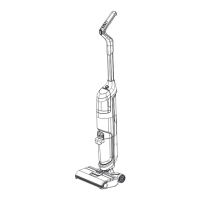
Clean cleaning foot (see Fig. N)
1. Press the release and remove the brush roll cover.
2. Grasp the brush roll on the left and remove it upwards.
3. Remove any hairs, threads or similar from the roll.
4. Remove dirt from the intake duct with a damp cloth. Do not hold the cleaning foot under running water to avoid
damaging the electrical connections.
5. Clean the brush roll and the cover under running water.
6. Allow all parts to dry fully.
7. Put back the brush roll.
8. Put on the brush roll cover and snap it into place.
Troubleshooting
Only for electrical appliances
WARNING!
Switch o the appliance and disconnect the mains plug before addressing any faults! Failure to do so may result in
injury or electric shock.
Problem Possible causes Solution
Appliance isn‘t working Battery is empty Charge the battery
Brush roller is blocked Clean the brush roller and remove debris such as hair
and bres if necessary
Waste water tank is full Empty the waste water tank
Suction opening is blocked Clean the suction opening
Water tanks, brush roll, or brush
roll cover not correctly /
completely inserted
Check the correct t of all parts and remove blockages /
dirt if necessary
Appliance is in the upright
position
Hold the oor brush with your foot and move the
appliance by the handle to a diagonal position
Press the On/O switch again
Battery will not charge Appliance is not correctly
connected to a power socket
Connect the mains supply unit correctly to a functio-
ning power socket
Suction power
decreases
Suction opening is blocked Clean the suction opening and check the suction tube
for any dirt
Filters are blocked Clean the sponge lter, mesh lter and lter unit
Waste water tank is contamina-
ted
Clean the waste water tank
Brush roller is blocked Clean the brush roller and remove debris such as hair
and bres if necessary
Noise from the suction
opening
Suction opening is blocked Clean the suction opening and remove the residues


 To Next Page