29
Probe function introduction
1. Grblcontrol (Candle) Probe operating instructions
Explanation
G21G91 metric, relative coordinates
G21G91 metric, relative moves
G38.2Z-20.17F100 probe 20.17 mm @ 100 mmpm
G0Z1 move up 1 mm (it's in relative, not absolute mode)
G38.2Z-2F0 probe 2 mm $ 100 mmpm
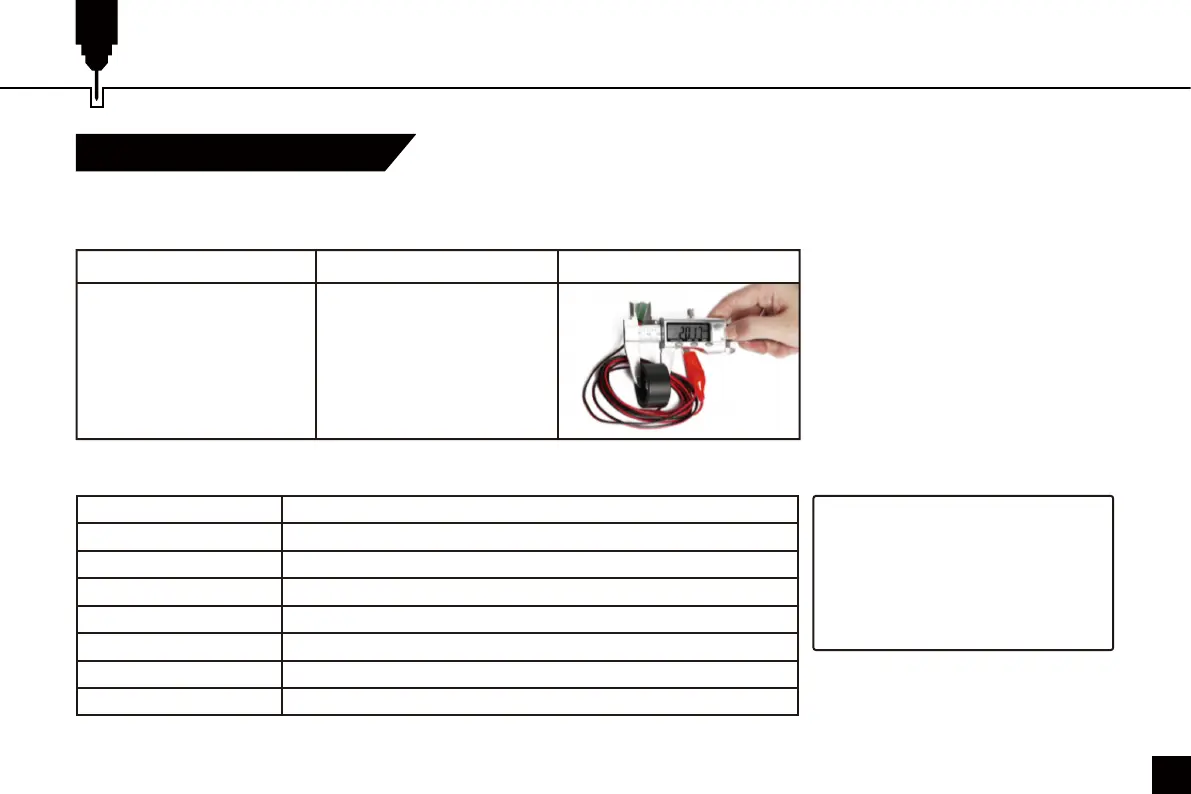
G92Z20.1 my probe thickness, YMMV
G90 back to absolute mode
G0Z25 retract off the probe
This assumes that the user would
position the probe, then jog the bit
5 or 10mm above it. With a PDF
this could be copied from the pdf,
pasted into Candle, and just the
probe thickness changed.
Z Probe Setup
Step 1: Probe commands editing.
Probe G code
G21G91G38.2Z-20F100
G0Z1
G38.2Z-2F10
G92 Z20.17
G0 Z25
G90G21G38.2Z-50F100
G92 Z14
G0 Z25
After editing Probe Tool height



 To Next Page