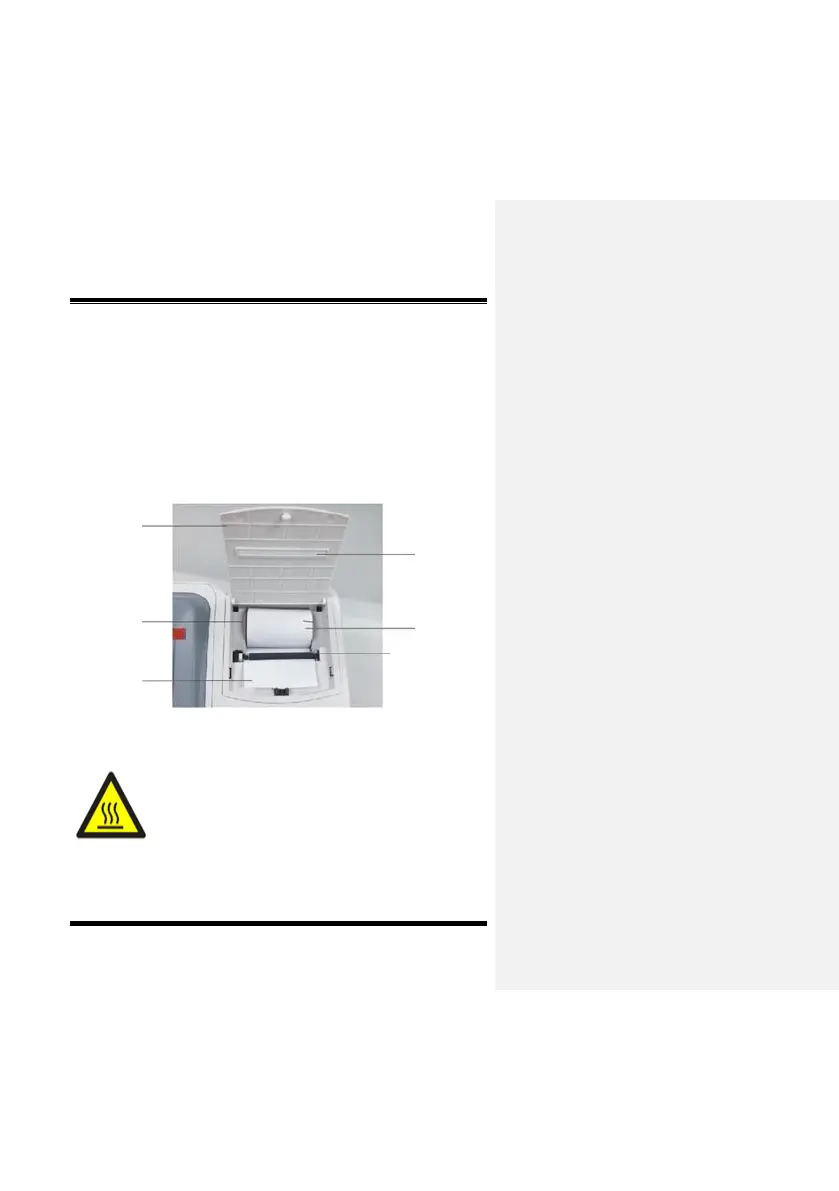
2)Put in the new paper roll (take out the empty scroll and put in the
new paper roll) and make sure the free end is at the bottom.
3)Put one end of the paper roll into the printer head (i.e., between
the metal plate and black plastic printer head), the printing
paper is drawn in and one end is revealed through the printer
head’s narrow slot.
4)Close the printer cover and pull the paper out from the exit.
Inner structure of the printer
This label appears near the printer head.


 To Next Page