Error! Use the Home tab to apply 标题 1 to the text that you
want to appear here.
32 FA50 Operation Manual
5.7.1 QC Setup
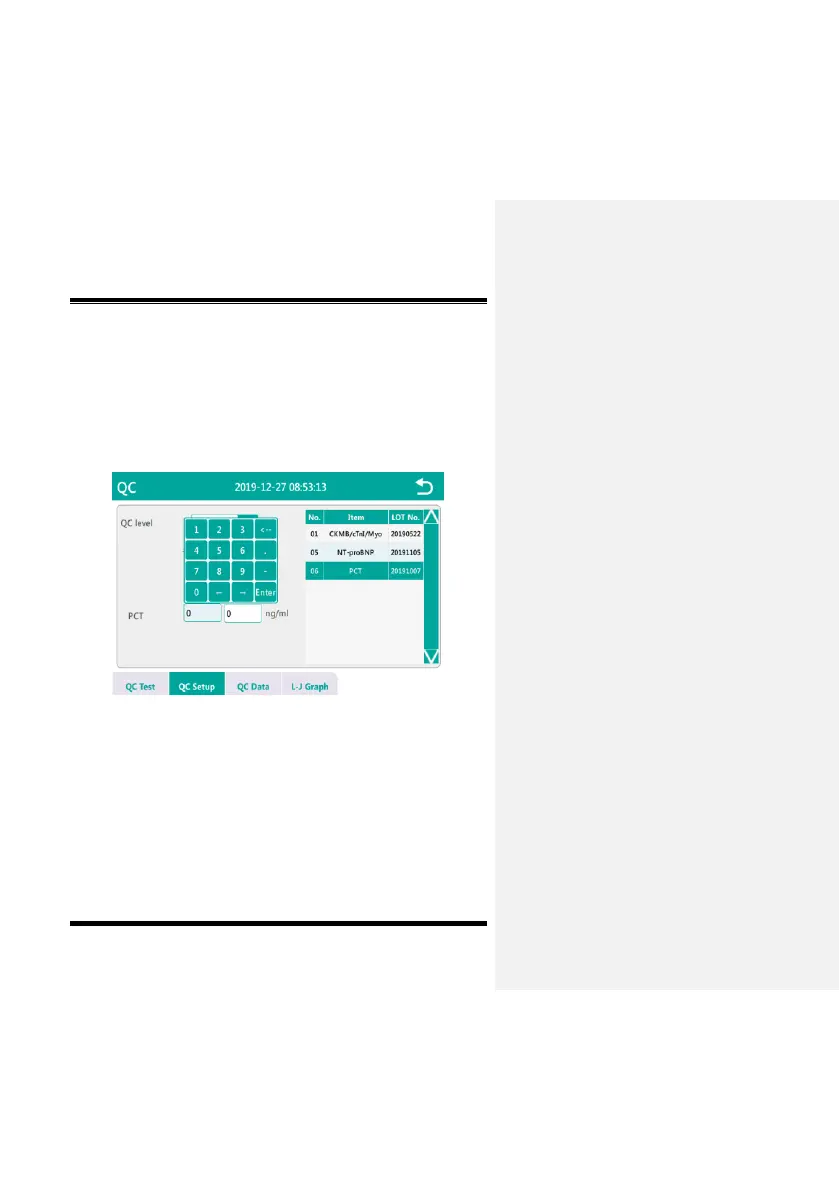
Before the QC test, you need to perform QC setup. Click “QC
setup” button to enter the QC setup interface. As shown in Fig.
5-7-2, select the QC items to be set, click the target value input box,
and enter the target value, click the limit input box and enter the
relative deviation range.
Fig. 5-7-2
5.7.2 QC Reagent
Click “QC Test” button to enter the QC Test interface, as shown in
Fig. 5-7-3.
When the scan code setting status of the reagent card is automatic,
no item setting is required before the QC test; when the scan code
setting status of the reagent card is manual, you need to manually


 To Next Page