Error! Use the Home tab to apply 标题 1 to the text that you
want to appear here.
50 FA50 Operation Manual
results. Please confirm the necessity of the operation.
5.8.3 Maintenance
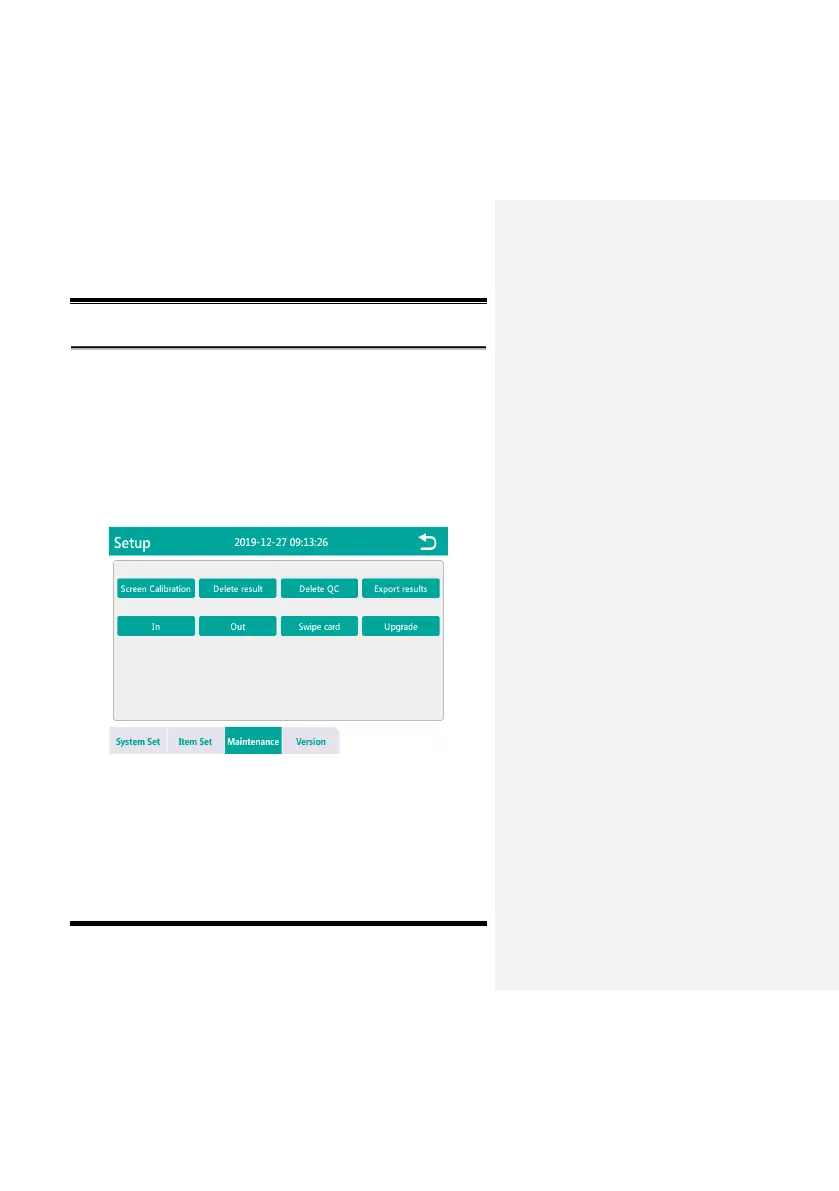
Click the "Maintenance" button in the setup menu to enter the
"Maintenance" interface, as shown in Fig. 5-8-11. This interface can
complete Screen Calibration, Delete result, Delete QC, Export
results, In, Out, card Swipe card and Upgrade maintenance
operations.
Fig. 5-8-11


 To Next Page