Error! Use the Home tab to apply 标题 1 to the text that you
want to appear here.
34 FA50 Operation Manual
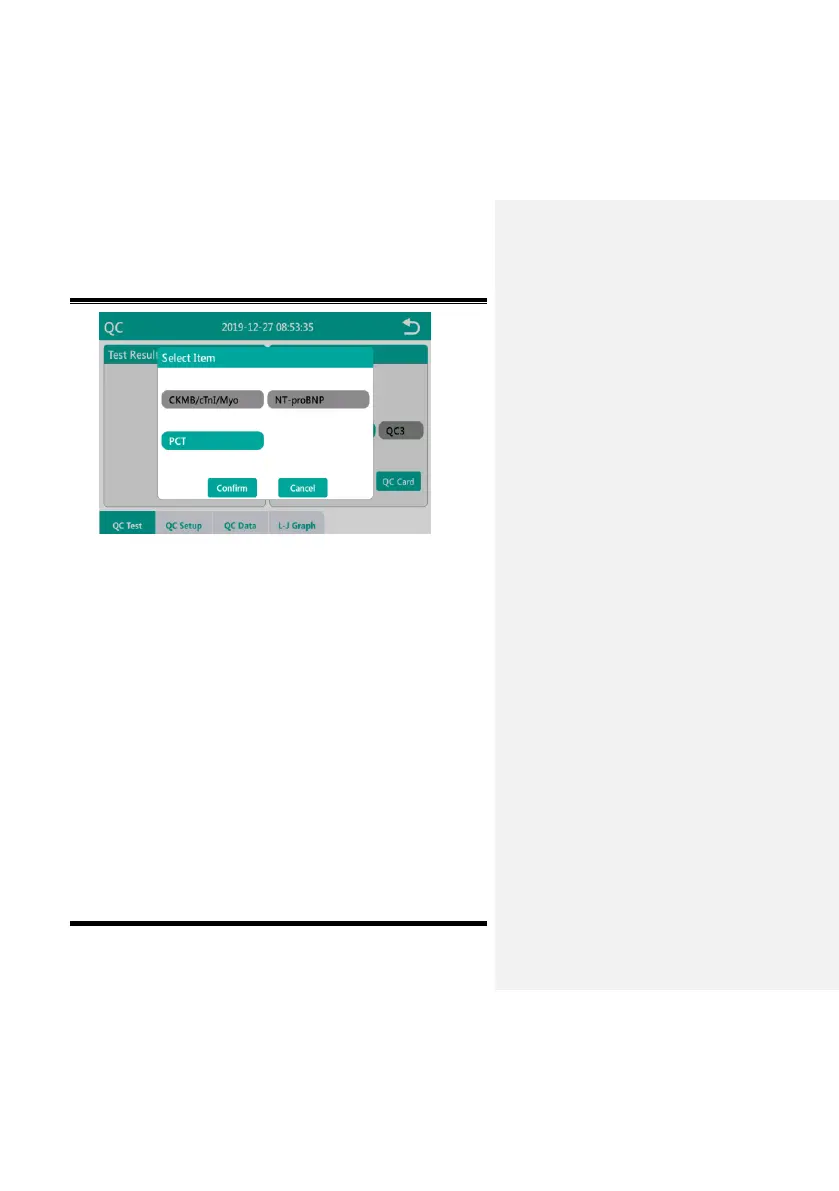
Fig. 5-7-4
5.7.3 QC Card
Before the QC card test, please enter the maintenance menu to
use the QC magnetic card to swipe the card. For details, refer to
5.8.3.6 Swipe card.
Click “QC Card” button, the interface prompts “Insert the QC
cassette”, as shown in Fig. 5-7-5. After inserting the special QC
card in the test position, click the “Confirm” button to start the test;
If the QC card test passes, the current interface will prompt “Quality
control success”, as shown in Fig. 5-7-6, if the QC test fails, it will
prompt “Quality control failed” on the current interface, as shown in
Fig. 5-7-7 After the interface prompts that the QC fails, please
check whether the QC card is inserted in place. After checking that
it is correct, perform the QC card test again. If the QC fails, please


 To Next Page