Error! Use the Home tab to apply 标题 1 to the text that you
want to appear here.
28 FA50 Operation Manual
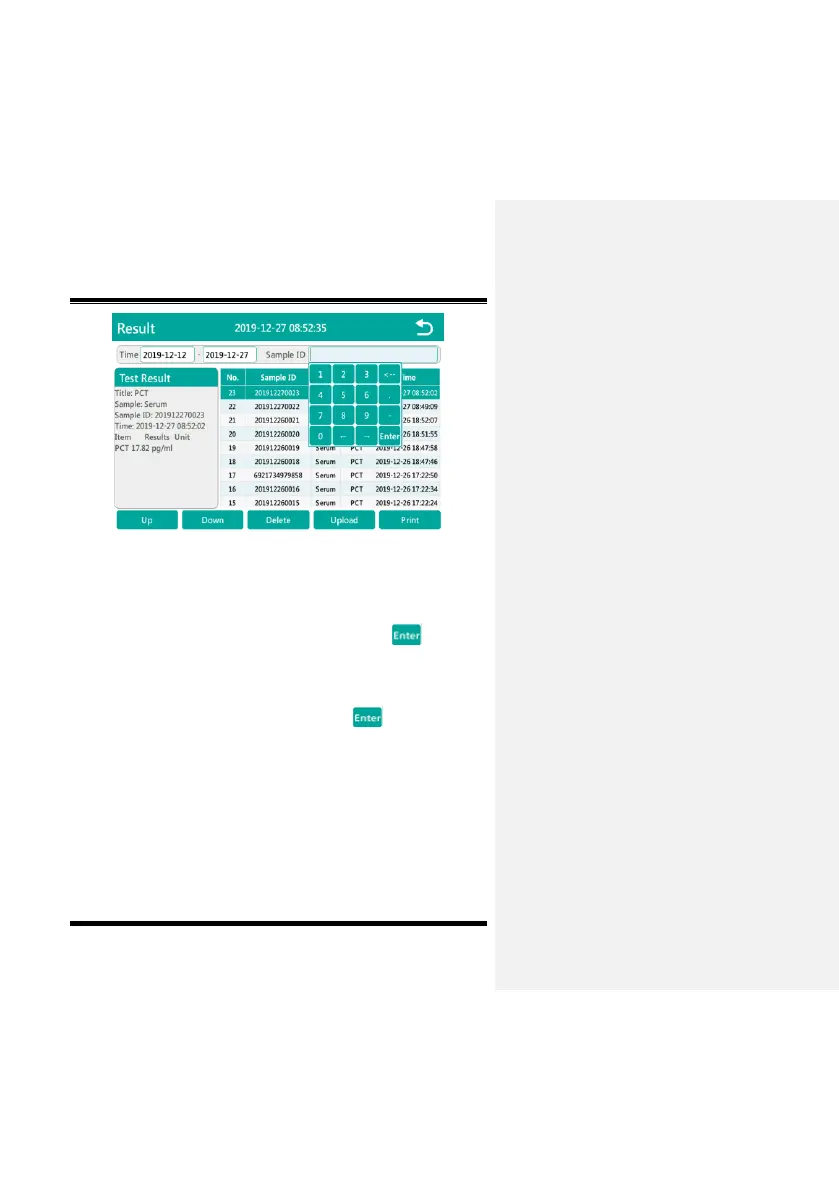
Fig. 5-6-2
2、Find the sample results by entering the time range. After
clicking the first time input box, a numeric keyboard will pop up.
Enter the starting point of the search time, click button to
save, as shown in Fig. 5-6-3, click the second time input box, a
numeric keyboard will pop up to enter the end point of the search
time, as shown in Fig. 5-6-4. After clicking button to save,
you can search for the sample result according to the currently set
time range. When the sample result exceeds one page, you can
click the Up/Down button to search through the pages.


 To Next Page