Error! Use the Home tab to apply 标题 1 to the text that you
want to appear here.
54 FA50 Operation Manual
5.8.3.4Export results
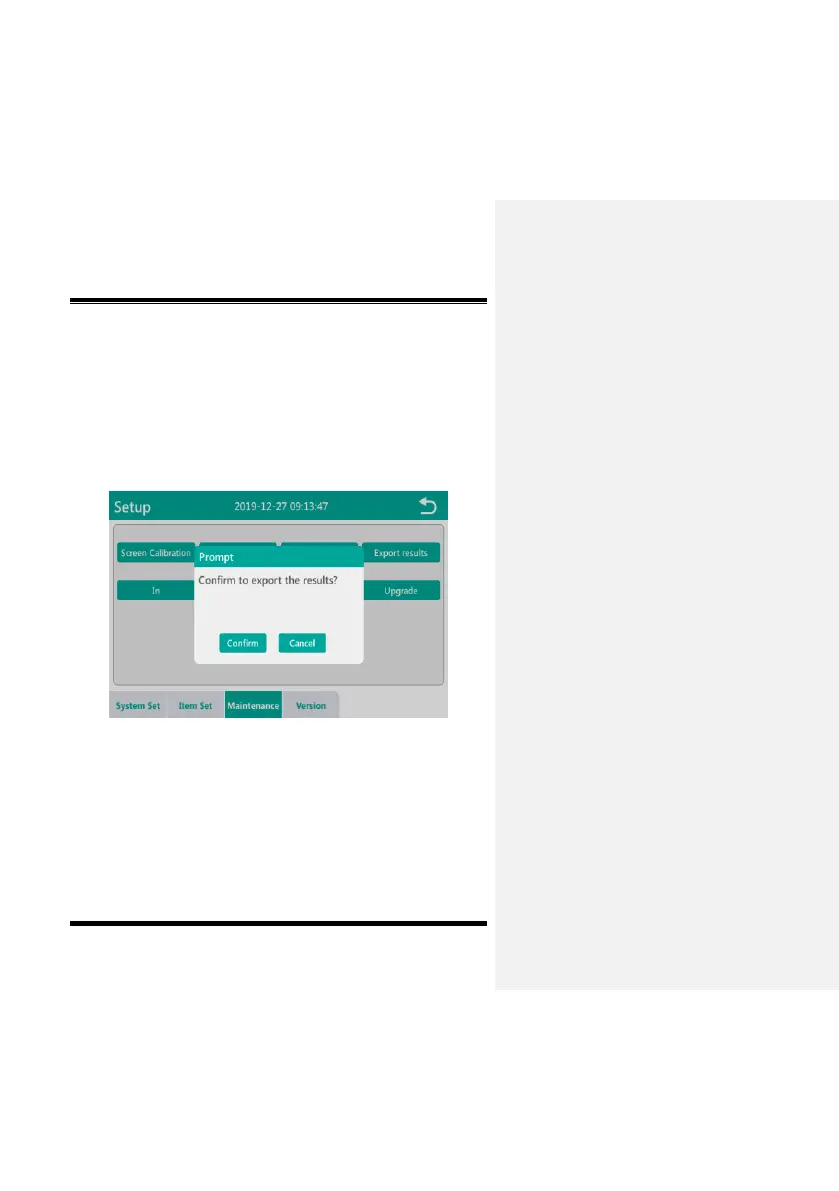
Click the “Export results” button in the maintenance interface, the
instrument maintenance interface will prompt “Confirm to export the
results?”, as shown in Fig. 5-8-15. To export the measurement
results, first insert the USB flash drive into the USB interface of the
instrument, and then click the "Confirm" of dialog box to export the
test results.
Fig. 5-8-15
5.8.3.5In/Out
In the maintenance interface, click the “In” or “Out” button to
complete the card entry and exit operations in the test slot.


 To Next Page