7
The DK3 is fully adjustable to accommodate various size mugs.
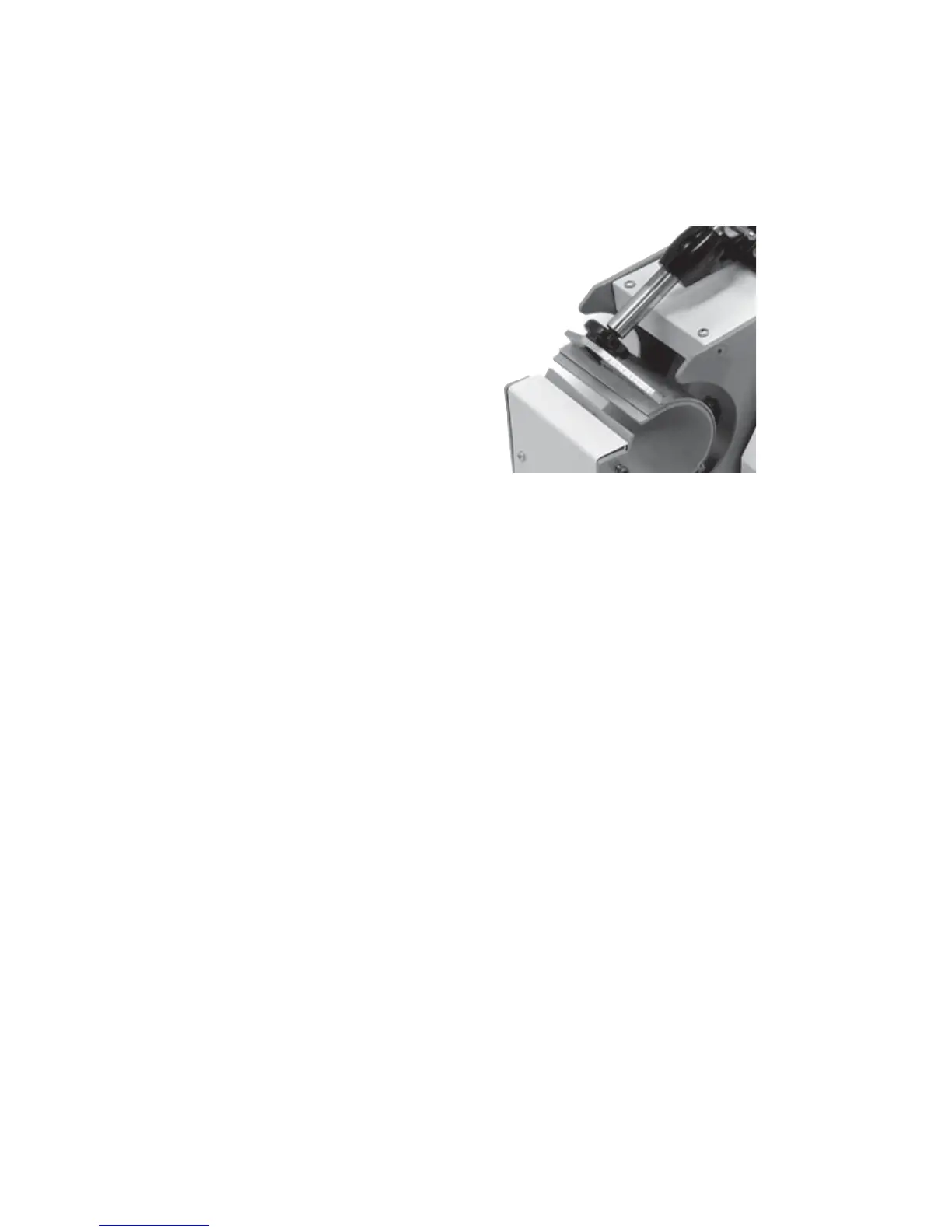
• To decrease the pressure,
allowing for larger diameter
mugs, or to make the tension
lighter, turn the pressure knob
to the right, clockwise.
• The heater band will rise away
from the front of the press. The
allen screw will enter into the
plunger shaft deeper.
• To increase the pressure,
allowing for smaller diameter
mugs, or to make the tension tighter, turn the pressure knob to the left,
clockwise.
• The heater band will come closer to the front of the press. The allen screw
will come out of plunger shaft further.
Setting Pressure
The clamp must lock in place for a successful transfer. Do not simply
close the handle in a resting position. The handle must lock and clamp
down so that there is significant pressure on the mug. If the clamp
assembly can not be locked, then the pressure knob must be adjusted.
Do not over tighten the pressure. If it requires a lot of force to close
the press onto the mug, the black adjustment knob or mug handle can
break. The handle should be closable with one hand of the operator
when properly lubricated.
Sublimation inks do not require much pressure for a good transfer.
However - many styles of imprintable mugs are not straight, especially
at the top & bottom of the mug. For this reason, heavier pressure helps
press the transfer right up against the entire surface of the mug. Set the
pressure adjustment so that there is a firm clamping force. This will
insure good contact, and great results.
When the press is hot, and after much use, the pressure assembly may
be difficult to adjust. An ALLEN KEY has been included to allow for
easy adjustment.
Important Pressure Notes


 To Next Page