1.4.15
CARRYING OUT A MEASUREMENT CHAPTER 4
GEODIMETER SYSTEM 600
The Geodimeter is now in program 0
(P0). Choose program 22 - Angle
Measurement.
The program name "2 Face Ang.
Meas." is seen very briefly on the
display follo-wed by request of which
Job file you want to store your angle
measurements in. Key in, for example,
16.
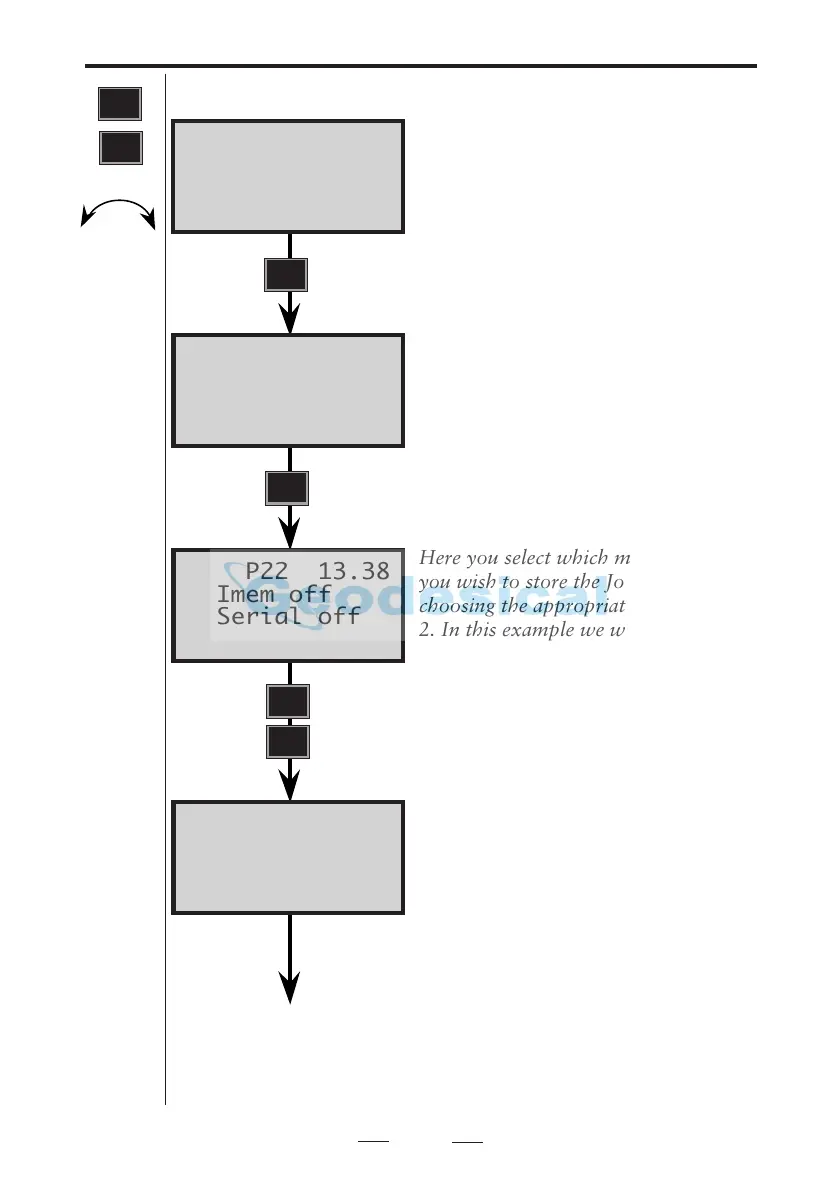
Here you select which memory device
you wish to store the Job file in by
choosing the appropriate number 1 or
2. In this example we will select No. 1:
Imem.
(2.Serial only if Imem is activated).
Key in the Stn. point name / number–
e.g 1000. Press ENT.
STD P0 13.38
HA: 310.8390
VA: 98.1720
P22 13.38
1:Imem off
2:Serial off
P22 13.38
Job no:
P22 13.38
Stn=_
See next page
Note!
☛
See "Data
Logging"
page
2.7.1
PRG
22
C2 + C
ENT
1
PRG
ENT


 To Next Page
 Loading...