EasyManua.ls Logo

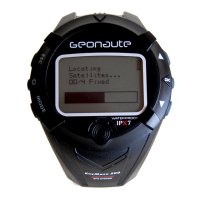
GEONAUTE ONMOVE 100 - User Manual

GEONAUTE ONMOVE 100
21 pages
Print Icon
To Next Page IconTo Next Page
Loading...
First settings
PC
réf. notice : 1496.491
WATCH
MODE
(GPS OFF)
Watch mode (GPS switched o)
EN / FR
LANGUE
EN
ENGLISH
Choose your langage
12H / 24H
HEURE
FORMAT
12H
Set time format
12:00
00
HEURE
Set hours
12:34
00
MIN
Set minutes
12:34
56
SEC
Set seconds
FORMAT
MMJJ
/ JJMM
JJMM
DATE
Set date format
24-01
JOUR
2011
Set day
24-11
2011
MOIS
Set month
24-1 1
2011
ANNÉE
Set year
KM / MI
/ NMI
UNITÉ
KM
Set units
EN
OK
/ START
/ STOP
LEFT
RIGHT
BACK
/ SETTINGS
LIGHT
Question and Answer IconNeed help?

Do you have a question about the GEONAUTE ONMOVE 100 and is the answer not in the manual?

Summary

Initial Watch Setup and Configuration

Basic Watch Settings Overview

Guides users through initial setup of language, time, and date formats.

Measurement and Display Options

Configure units of measurement and time/date display preferences.

How to Start and Manage Activities

GPS Search and Activity Initiation

Initiate activity tracking, including GPS search and starting options.

Activity Control and Navigation

Manage ongoing activities: pause, stop, save, restart, and view data.

Activity Data Handling Notes

Information on data saving, memory limits, and viewing session details.

Comprehensive Watch Parameter Settings

Alarm and Time Configuration

Set alarm times and configure watch hours and minutes.

Date, Units, and Language Customization

Adjust day, month, year, units, and language settings.

Data Saving During Setup

Understand how data is saved during the watch setup process.

GEONAUTE ONMOVE 100 Specifications

General IconGeneral
GPSYes
Heart Rate MonitorNo
Battery Life (GPS Mode)8 hours
Display TypeLCD
Activity TrackingYes

Related product manuals