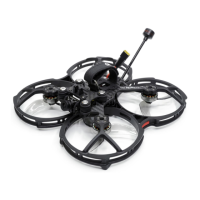
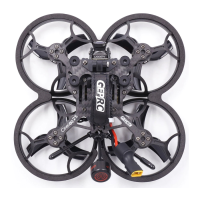
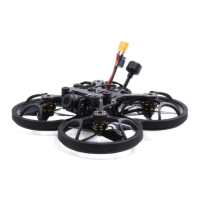
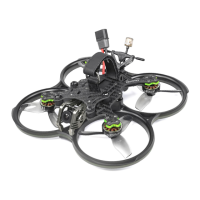
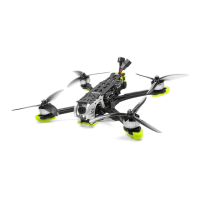
The GEPRC CineLog30 is a 3-inch quadcopter designed for FPV (First-Person View) flying and cinematic video capture. It is an evolution of the CineLog25, offering enhanced power and functionality while maintaining a lightweight design.
Function Description:
The CineLog30 serves as a versatile platform for aerial videography and FPV piloting. It is equipped with a digital FPV system, allowing for real-time video transmission to compatible FPV goggles. The quadcopter is designed to carry external cameras, specifically the Naked GoPro Hero 8 and INSTA 360 GO2, using a dedicated mounting base, enabling high-quality video recording. Its strong power output and lightweight construction contribute to a stable and agile flight experience, suitable for capturing smooth cinematic footage. The quadcopter's design emphasizes ease of use and maintainability, with pre-installed components and clear instructions for setup and pre-flight checks.
Important Technical Specifications:
- Model: CineLog30 Quadcopter
- Flight Controller (FC): GEP-F411-35A AIO
- Electronic Speed Controller (ESC): BLheli_S 35A
- Video Transmitter (VTX): VISTA
- Camera: Caddx Polar
- Antenna: CADDX Polar Antenna
- Motor: GR1404 3850KV
- Propeller: T3x3x3
- Frame: GEP-CL30
- Motor to Motor Distance: 126mm
- CineLog30 HD Weight: 158.5g
- Take-off Weight (with 4s660mah battery): 222.5g
- Take-off Weight (with Naked GoPro Hero 8 Camera and 4S660mAh battery): 249g
- Flight Duration: 7 minutes (with 4S660mAh battery)
- Receiver Options: PNP, Frsky RXSR, TBS Nano RX
Usage Features:
- Compact and Lightweight Design: With a take-off weight of only 222.5g (with a 4s660mah battery), the CineLog30 is highly portable and maneuverable.
- HD Digital FPV System: Equipped with the VISTA digital FPV system, providing clear and reliable video feedback for an immersive flying experience.
- Camera Compatibility: Features a mounting base for installing popular action cameras like the Naked GoPro Hero 8 and INSTA 360 GO2, allowing for professional-grade video capture.
- Strong Power Output: The 1404-3850KV motors combined with T3x3x3 propellers deliver robust power, ensuring stable flight and responsive control.
- Pre-configured Switches (DJI Transmitter): The toggle switches on the DJI FPV Transmitter are factory-set for specific functions:
- SA → AUX1 (ARM)
- SB → AUX2 (MODES)
- SC → AUX3 (BEEPER)
- SD → AUX4 (Vacancy)
- These functions can be customized by adjusting the yellow cursor in the Betaflight configurator.
- OpenTX Transmitter Compatibility: For OpenTX systems, the AUX channels need to be checked and configured. Default mappings for FrSky X9D transmitters are:
- CH5 (SF) → AUX1 (ARM)
- CH6 (SG) → AUX2 (MODES)
- CH7 (SA) → AUX3 (BEEPER)
- CH8 (Vacancy) → AUX4 (Vacancy)
- Channels can be edited and named using the transmitter wheel.
- Easy Binding Procedures: Detailed instructions are provided for binding with DJI Digital FPV System, TBS NanoRX, and FrSky R-XSR receivers, ensuring a straightforward setup process.
- Betaflight Integration: The quadcopter requires Betaflight installation for debugging and advanced configuration, with clear instructions and download links for drivers and the configurator.
Maintenance Features:
- Pre-flight Check List: A comprehensive pre-flight checklist is provided to ensure safety and prevent crashes, including:
- Verifying transmitter mode and arming switch position.
- Physical inspection for damage.
- Checking propeller direction and nut tightness.
- Monitoring LiPo battery voltage (4.2V per cell for full charge).
- Ensuring secure battery attachment and balance lead placement.
- Scanning the flight area for safety hazards.
- Verifying clear FPV video feed.
- Listening for propeller obstructions during arming.
- Propeller Installation: While propellers are factory-installed, users are advised to check their direction before flight.
- Silicone and Landing Pad Installation: Instructions are included for installing silicone pads and landing pads, which likely contribute to vibration dampening and protection.
- Warranty Policy: GEPRC offers support for damaged or unknown issues, encouraging users to contact them for assistance. However, impact damage, liquid damage, high-temperature burns, or other artificial damage are not covered under warranty.
- Component Inspection: All components undergo strict inspection and testing before shipping, ensuring quality and reliability.
- Driver Installation: Instructions and links are provided for installing necessary drivers (CP210x, STM USB VCP, Zadig) for Windows systems, facilitating connectivity and configuration.
- Support Contact: Users can contact GEPRC via email (support@geprc.com) for problem-solving and technical assistance.

 Need help?
 General

 To Next Page