Need help?
Do you have a question about the GEPRC Cinebot30 and is the answer not in the manual?
Steps to manually install necessary drivers (CP210x, STM USB VCP, Zadig) for Windows users.
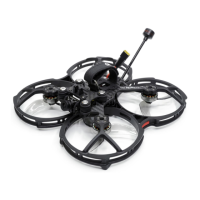
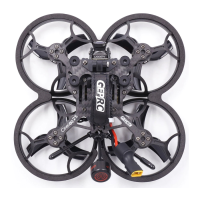
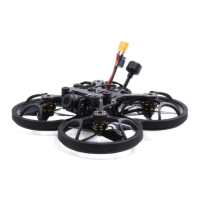
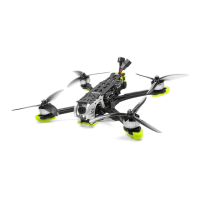
The GEPRC Cinebot30 is a new generation of cinematic FPV drone designed for taking drone photography to the next level, enabling users to shoot extreme footage in the real world. Developed by the GEPRC team, this drone combines classic engineering with aesthetic design, making it suitable for both indoor and outdoor flights. It is professionally tuned by GEPRC experts to provide a delicate and silky flying experience, exploring endless possibilities for drone shots.
The Cinebot30 is a high-performance cinematic FPV drone engineered to capture stable and clear images. It features a high-strength 7075 aircraft-grade aluminum alloy bracket that escorts the FPV camera, ensuring robust support. The drone is compatible with various action cameras, including GEPRC Naked GoPro Hero 8, GoPro Black Bones, and Insta 360 GO2, allowing users to easily mount their preferred camera for filming.
A key feature of the Cinebot30 is its newly developed gimbal damping module, which effectively addresses high-frequency vibration and jello issues, ensuring smooth and stable footage. The drone is equipped with a powerful 1804 motor, optimized with a magnetic circuit to deliver surging torque, enabling it to easily handle ultra-low altitude shooting scenarios. To minimize noise, it uses HQ prop T76mm*3 propellers, achieving the lowest noise effect in its class.
The Cinebot30 integrates the GEP-F722-45A AIO v2 flight controller, which provides higher performance redundancy and simplifies the handling of unexpected situations during flight. It offers four different FPV system programs, allowing users to choose the one that best suits their first-person view preferences.
The Cinebot30 is designed with user convenience in mind, featuring a quick-disassembly design that simplifies maintenance and part replacement. Only six screws need to be removed to separate the aircraft's top plate and protection frame, making it easy to access internal components for urgent accessory replacement and quick restoration to flight readiness.
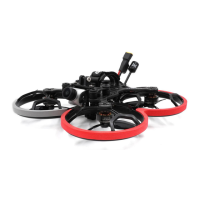
The drone incorporates a high-strength, one-piece injection-molded propeller guard made from high-toughness and impact-resistant PC material. This guard not only protects the propellers but also features an embedded ring Cob light strip. The light effect is carefully tuned to ensure clear visibility of color brightness both during the day and at night, enhancing the drone's aesthetic appeal and operational visibility.
The fuselage is constructed with high-strength grain-cut carbon fiber sheets, which significantly upgrade the overall structural integrity of the drone. This robust construction ensures durability and reliability during various flight conditions.
The quick-disassembly design is a significant maintenance feature, allowing users to easily open the internal space by removing just six screws from the arm plate. This facilitates straightforward maintenance and replacement of parts, minimizing downtime and simplifying repairs.
Before each flight, a pre-flight check is recommended to ensure safety and prevent crashes. This includes:
It is important to note that if flying near water, extreme caution is advised, as salvaging the quadcopter after a water landing is difficult, and water damage is not covered by the warranty.
The Cinebot30 also comes with a warranty policy. GEPRC should be contacted for any damage or unknown issues, and they will assist with repairs. However, impact damage, liquid damage, high-temperature burns, or other artificial damages are not covered under warranty. All components are strictly inspected and tested before shipping, and users are encouraged to cooperate with GEPRC engineers to resolve any problems.
 General
| Frame | Carbon fiber |
|---|---|
| ESC | 30A BLHeli-S |
| Camera | Caddx Ratel 2 |
| Battery | 4S 1300mAh |
| Frame Size | 3 inch |

 To Next Page