7 / 21
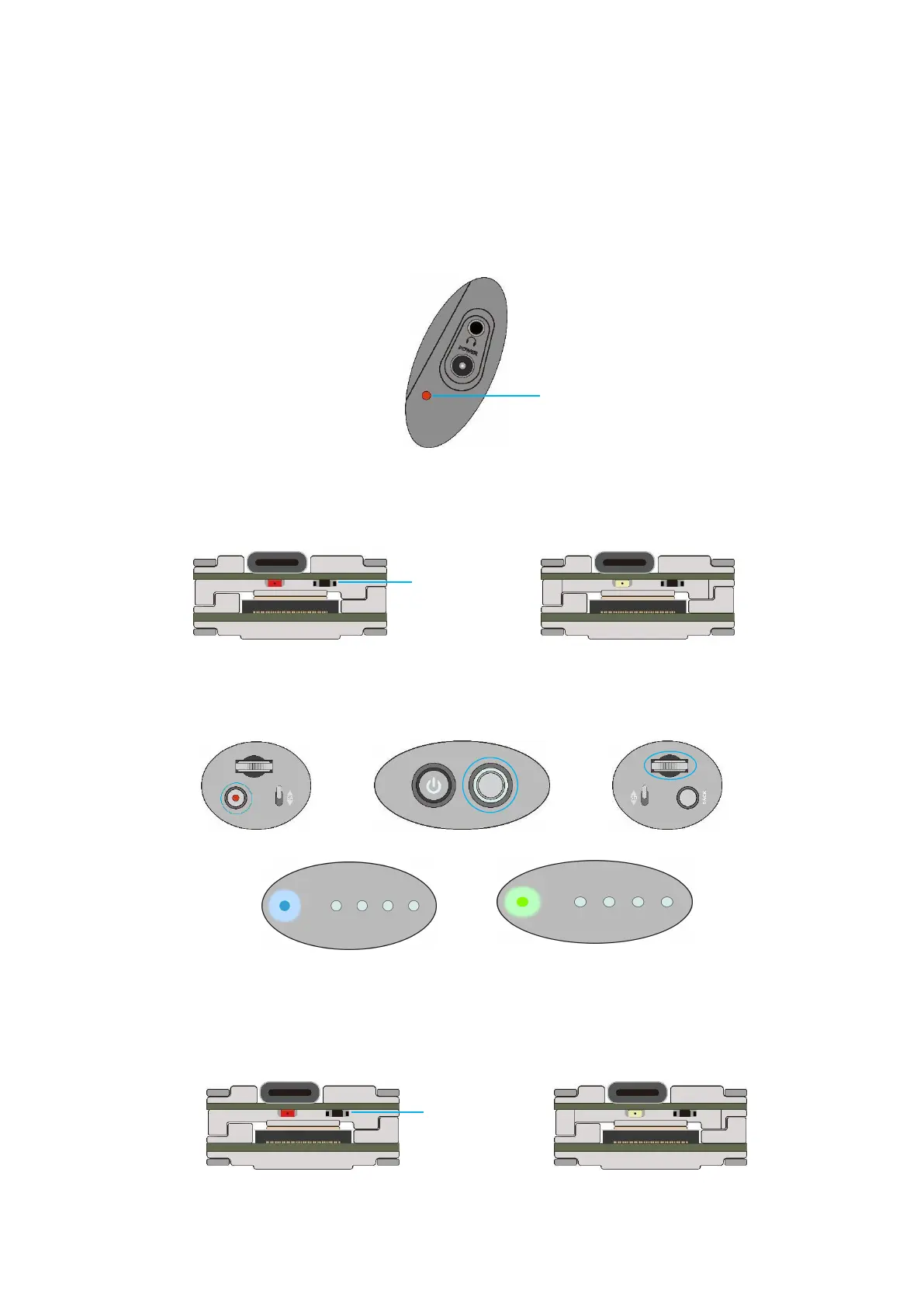
DJI Digital FPV System:
1.
Turn the power of the FPV Goggles, DJI FPV Transmitter,and
Quadcopter. Press the FPV Goggles bind button twice, and it will beep to
indicate the binding state.
2.
Press the VISTA bind button,the indicator light turn
red ,indicating that it is binding.Then the indicator light turns yellow,
means the binding is successful,and the FPV Goggles will display the
received picture.
3.
Press the C1 custom button, record button and right scroll
wheel button of the remote controller,at the same time. The indicator
light turns blue, and the remote controller sends a beep indicating that it
is binding.
4.
Press the VISTA bind button,the indicator light turn
red ,indicating that it is binding.Then the indicator light turns yellow,
means the binding is successful.And the remote controller indicator light
turns Green.
Record Button C1Custom Right Scroll Wheel Button


 To Next Page