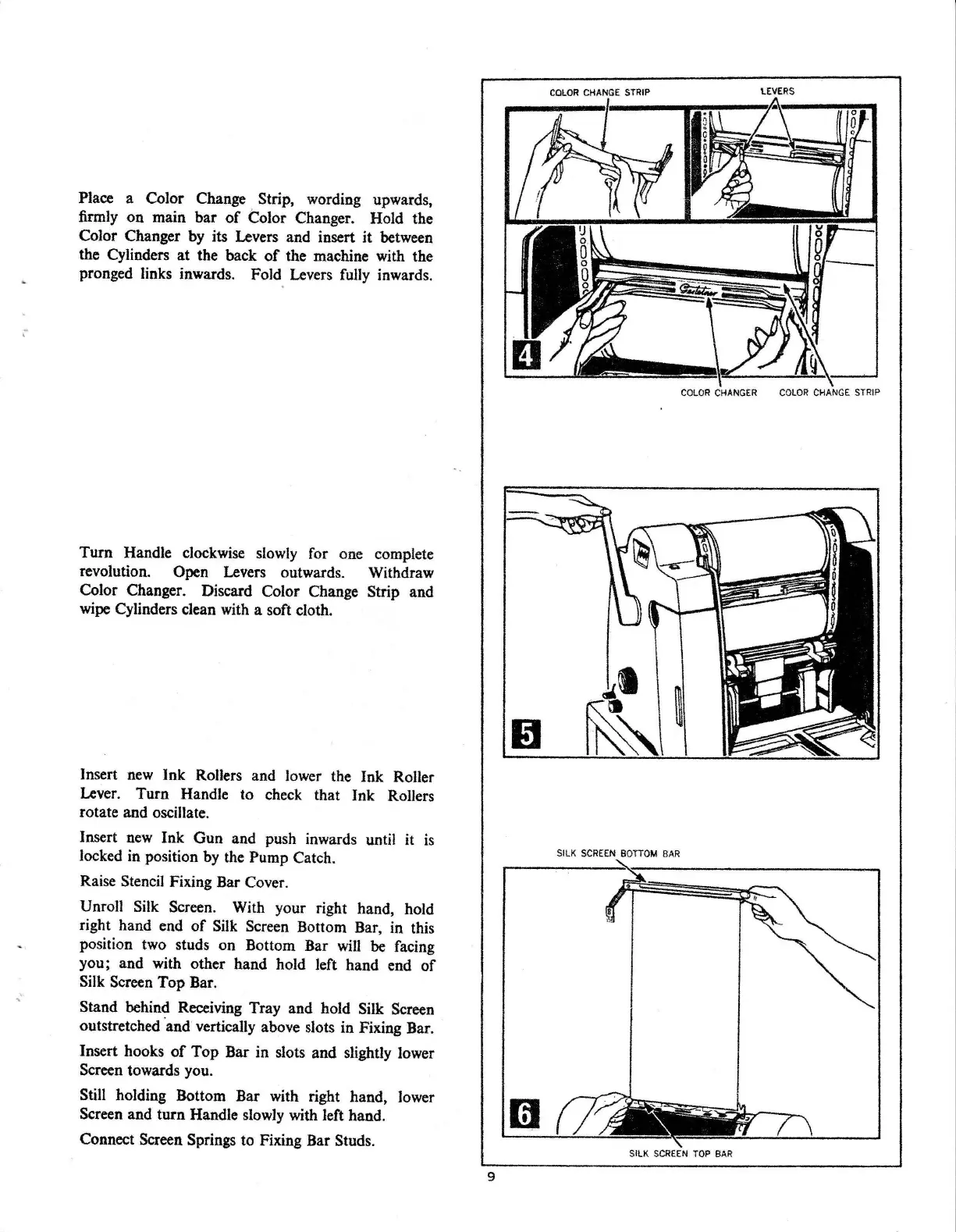
Place a Color Change Strip, wording upwards,
firmly on main bar
of
Color Changer. Hold the
Color Changer
by
its Levers and insert it between
the Cylinders at the back
of
the machine with the
pronged links inwards. Fold Levers
fully
inwards.
Turn Handle clockwise
slowly
for one complete
revolution. Open Levers outwards. Withdraw
Color Changer. Discard Color Change Strip and
wipe
Cylinders clean with a soft cloth.
Insert
new
Ink Rollers and lower the Ink Roller
Lever.
Turn Handle to check that Ink Rollers
rotate and oscillate.
Insert
new
Ink Gun and push inwards until it
is
locked
in
position
by
the Pump Catch.
Raise Stencil Fixing Bar Cover.
Unroll Silk Screen. With your right hand, hold
right hand end
of
Silk Screen Bottom Bar, in this
position two studs on Bottom Bar
will
be
facing
you; and with other hand hold left hand end
of
Silk Screen Top Bar.
Stand behind Receiving Tray and hold Silk Screen
outstretched
·and
vertically above slots in Fixing Bar.
Insert hooks
of
Top Bar in slots and slightly lower
Screen towards you.
Still holding Bottom Bar with right hand, lower
Screen and turn Handle slowly with left hand.
Connect Screen Springs to Fixing Bar Studs.
9
COLOR
CHANGE STRIP
\.EVERS
COLOR
CHANGER
COLOR
CHANGE
STRIP
SILK
SCREEN
BOTTOM
BAR
m
SILK
SCREEN
TOP
BAR



 To Next Page