PRINTING
COPIES
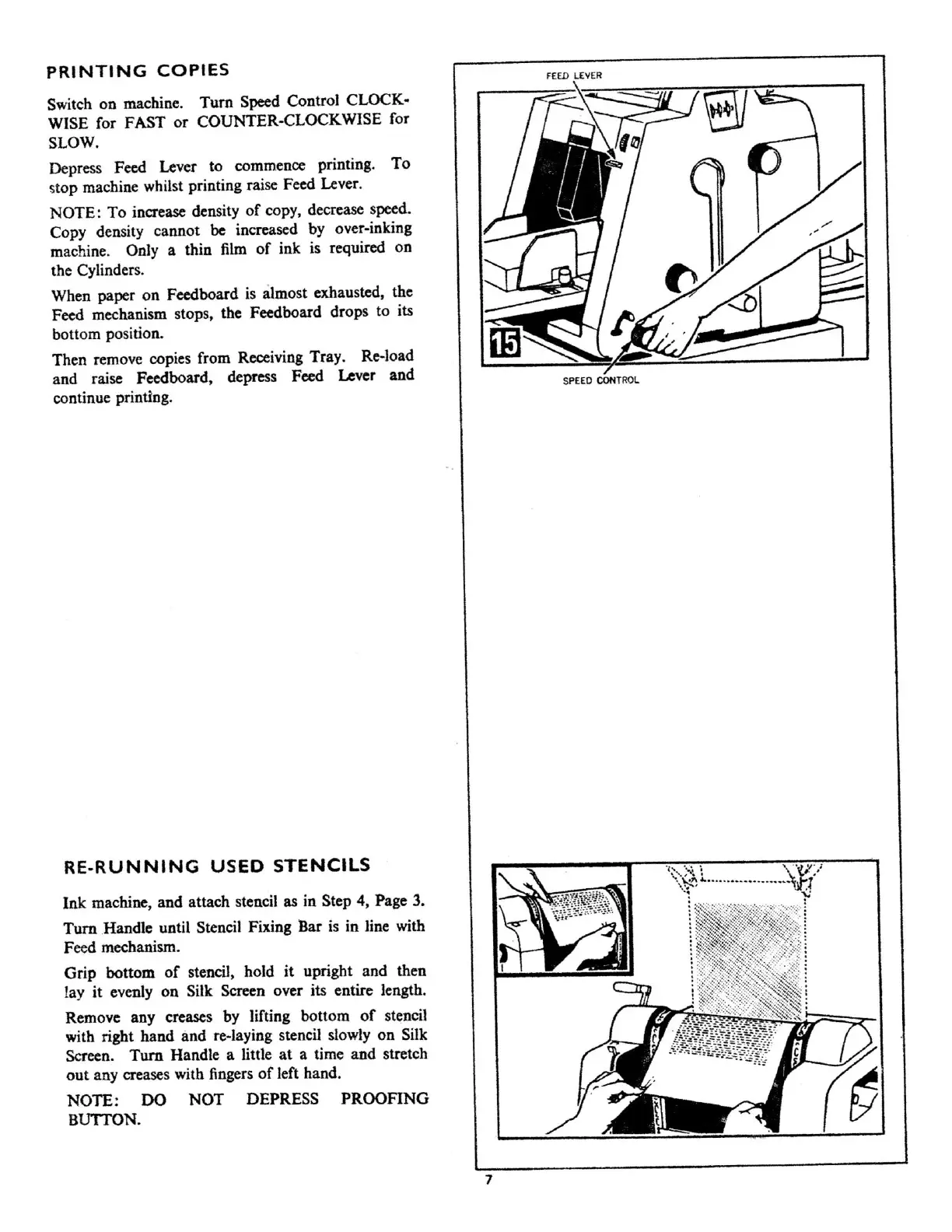
Switch
on
machine.
Turn
Speed Control CLOCK-
WISE for FAST
or
COUNTER-CLOCKWISE for
SLOW.
Depress Feed Lever
to
commence printing.
To
stop machine whilst printing raise Feed Lever.
NOTE:
To
increase density
of
copy, decrease speed.
Copy density cannot
be
increased by over-inking
machine. Only a thin film
of
ink is required
on
the Cylinder
s.
When paper
on
Feedboard is almost exhausted, the
Feed mechanism stops, the Feedboard drops
to
its
bottom position.
Then remove copies from
Receiving
Tray. Re-load
and raise Feedboard, depress Feed Lever
and
continue printing.
RE-RUNNING
USED
STENCILS
Ink
machine, and attach stencil as in Step 4,
Page
3.
Tum
.Handle until Stencil
Fixing
l3ar is in line with
Feed mechanism.
Grip
bottom
of
stencil, hold
it
upright and then
lay
it
evenly
on
Silk Screen over its entire length.
Remove any creases by lifting bottom
of
stencil
wi
th
right hand
and
re-laying stencil slowly
on
Silk
Screen.
Tum
Handle a little
at
a time and stretch
out
any creases with fingers
of
left hand.
NOTE:
DO
NOT
DEPRESS
PROOFING
BUITON.
SPE
ED
CONT
RO
L
7



 To Next Page