SETTING
RECEIVING
TRAY
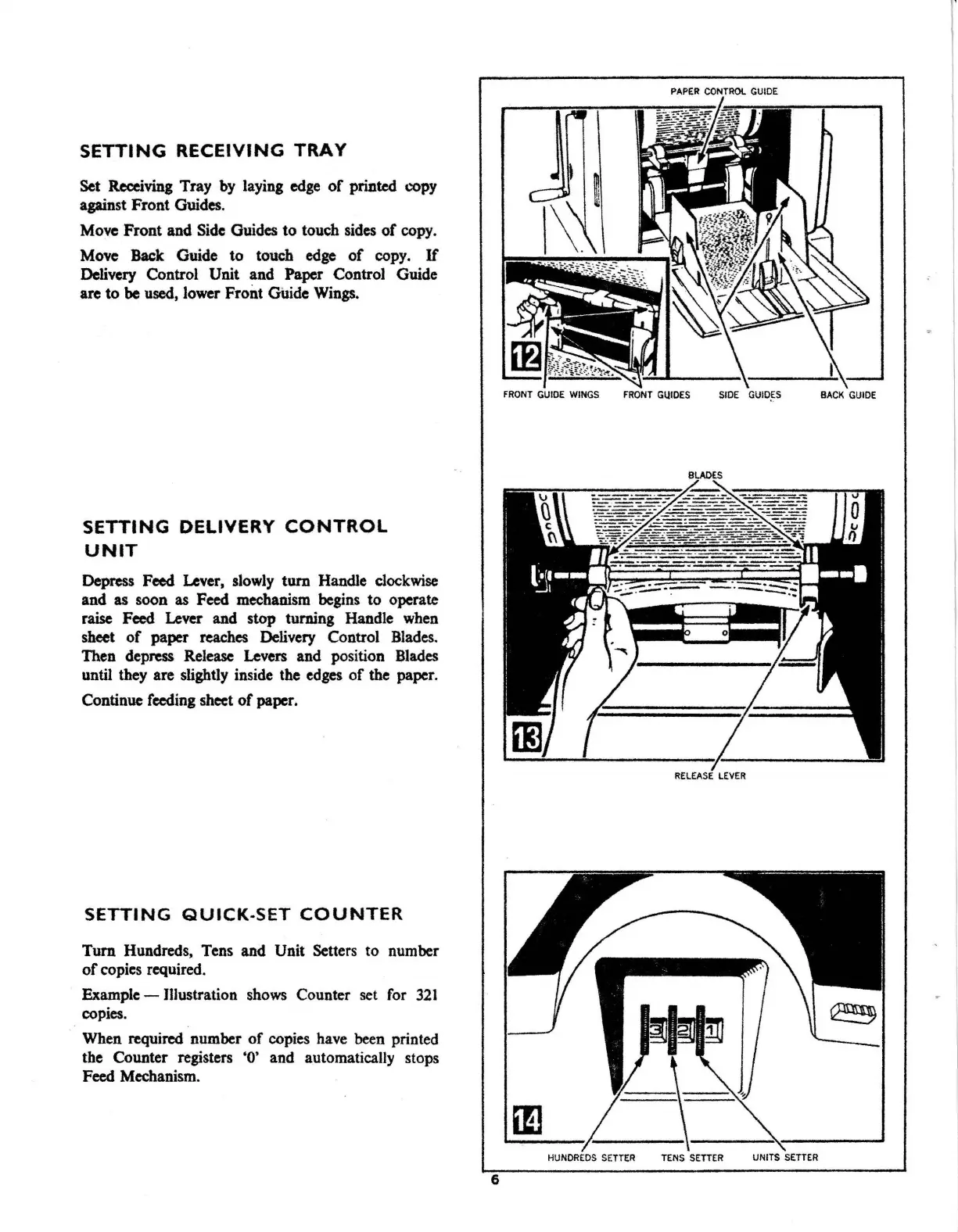
Set Receiving Tray by laying
edge
of
printed copy
against Front Guides.
Move Front and Side Guides to touch sides
of
copy.
Move Back Guide to touch
edge
of
copy.
If
Delivery Control Unit and Paper Control Guide
are to
be
used, lower Front Guide
Wings.
SETTING
DELIVERY
CONTROL
UNIT
Depress Feed Lever, slowly
tum
Handle
clockwise
and
as
soon
as
Feed mechanism begins to operate
raise Feed Lever and stop turning Handle
when
sheet
of
paper reaches Delivery Control
Blades.
Then depress Release Levers and position
Blades
until they are slightly inside the
edges
of
the paper.
Continue feeding sheet
of
paper.
SETTING
QUICK-SET
COUNTER
Tum Hundreds, Tens and Unit Setters to number
of
copies required.
Example-
Illustration
shows
Counter set
for
321
copies.
When required number
of
copies have been printed
the Counter registers
'O'
and automatically stops
Feed Mechanism.
PAPER
CONTROL GUIDE
FRONT
GUIDE WINGS
FRONT
GUIDES
SIDE
GIJID,ES
BACK
GUIDE
RELEASE
LEVER
HUNDREDS
SETTER
TENS
SETTER
UNITS
SETTER
6



 To Next Page