COLOR
CHANGING
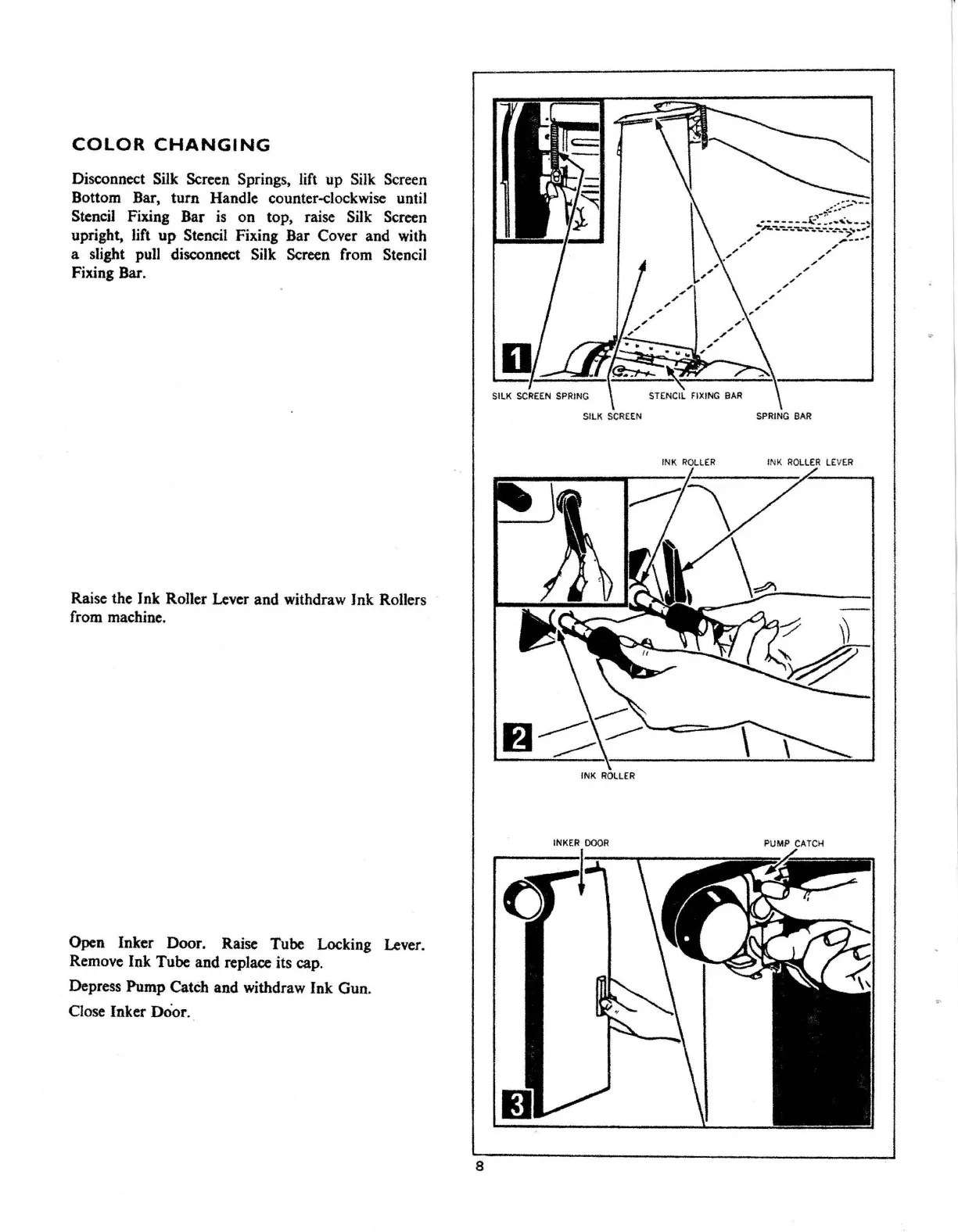
Disconnect Silk Screen Springs, lift up Silk Screen
Bottom Bar, turn Handle counter-clockwise until
Stencil Fixing Bar
is
on top, raise Silk Screen
upright, lift
up
Stencil Fixing Bar Cover and with
a slight pull disconnect Silk Screen from Stencil
Fixing Bar.
Raise the Ink
Ro11er
Lever and withdraw Ink Rollers
from machine.
Open Inker Door. Raise Tube Locking Lever.
Remove Ink Tube and replace its cap.
Depress Pump Catch and withdraw Ink Gun.
Close Inker Door.,
SILK
SCREEN
SPRING
BAR
INK
ROLLER
INK
ROLLER
LE
VE
R
INK
ROLLER
8



 To Next Page