10
SMART SOS USER MANUAL
5. INSTALLING, CONFIGURING THE APP
AND CONNECTING TO SMART SOS DEVICES
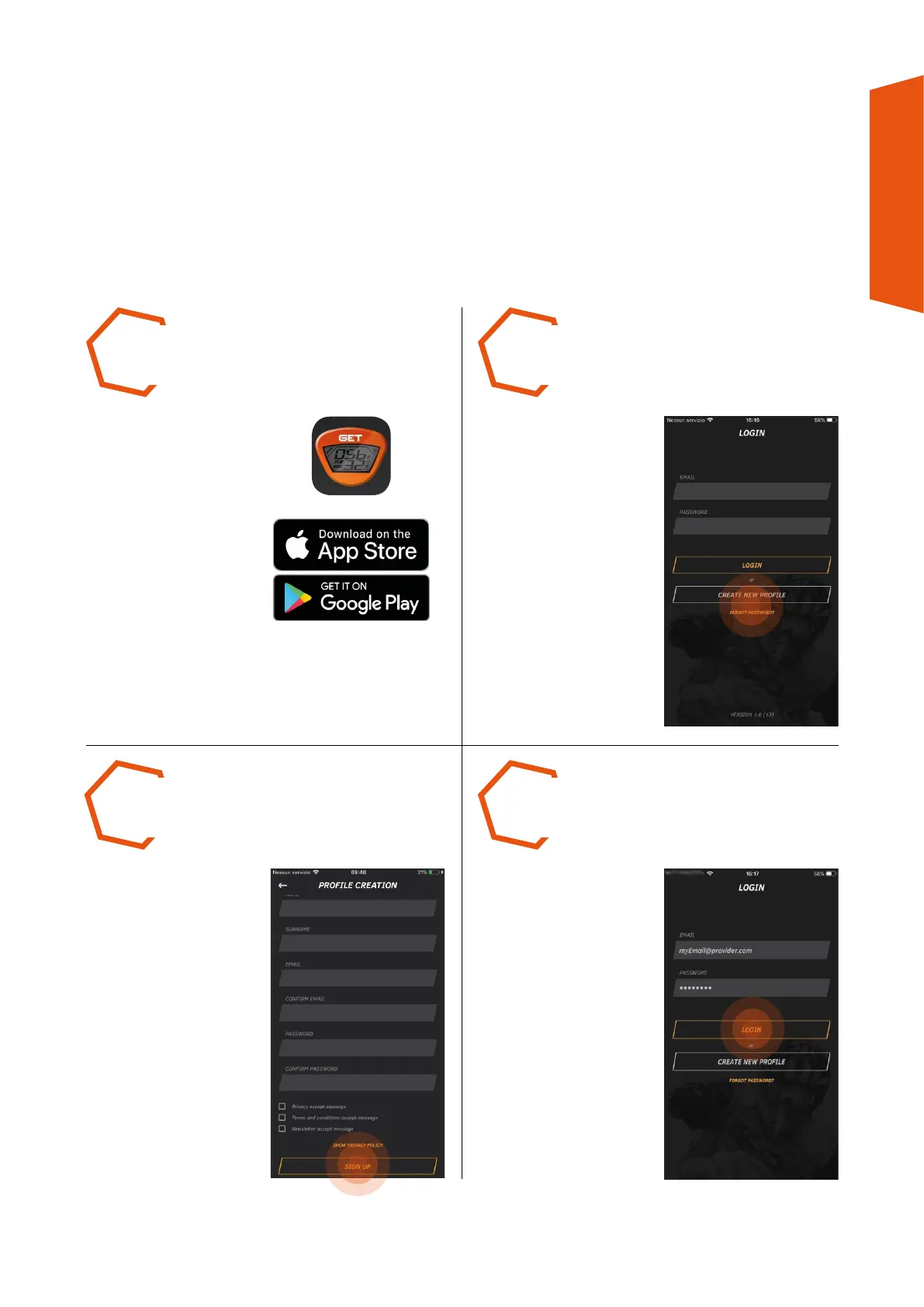
CREATE a new profile.
AFTER RECEIVING email
confirmation that your
account is active, LOG IN
using your EMAIL and
PASSWORD.
COMPLETE all mandatory
fields, inserting an email
address (required to
confirm your profile) and
a password. Agree to
handling of your personal
data. Press SIGN UP to
confirm.
DOWNLOAD and install
the GET SMART SOS app
from the store used by your
Smartphone or tablet. *
STEP 1 STEP 2
STEP 4STEP 3
* the GET SMART SOS app requires the use of Bluetooth® and a GPS position.



 To Next Page