11
SMART SOS USER MANUAL
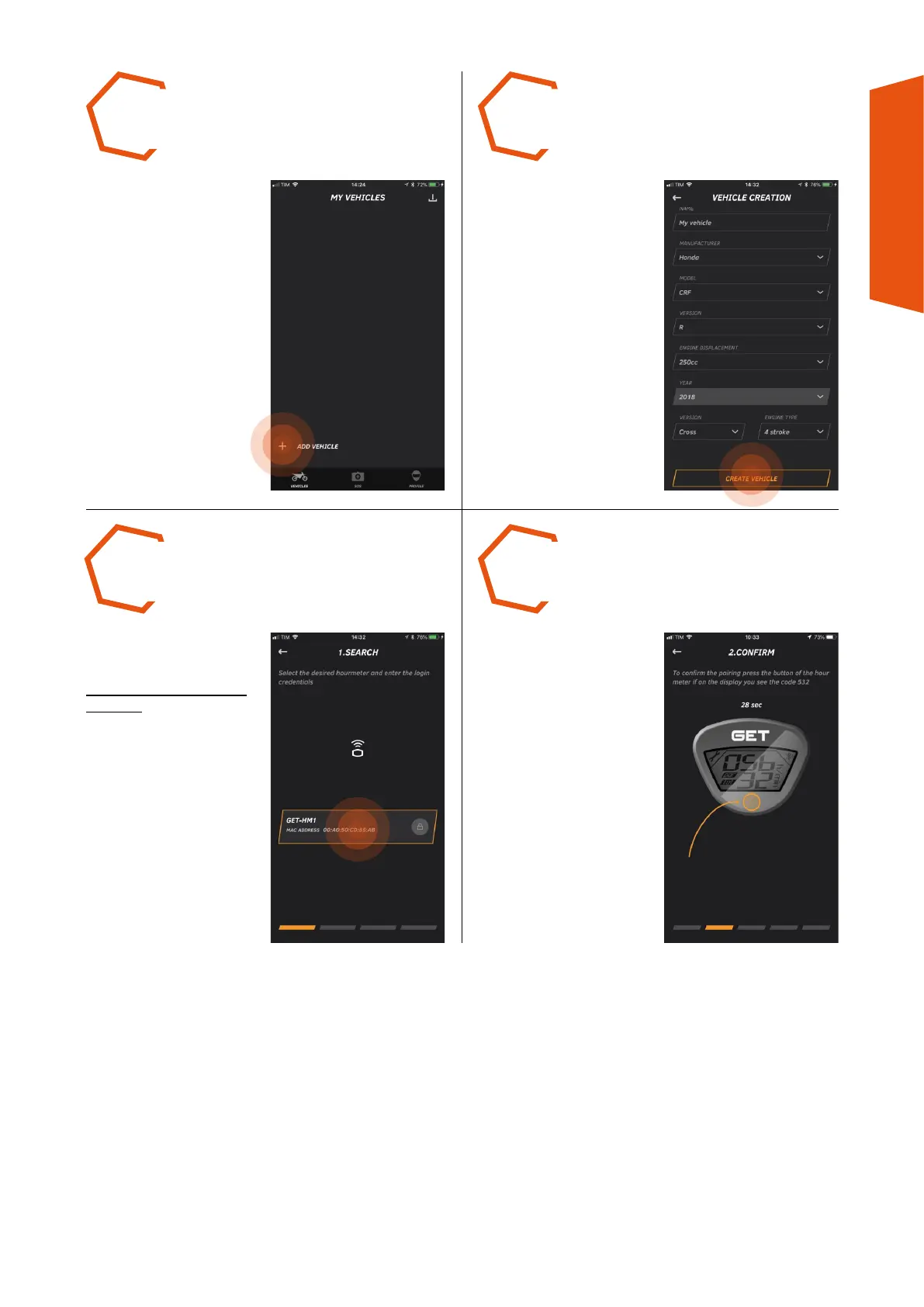
CHOOSE A NAME for your
vehicle and insert the data
required. If some data is not
available, select OTHER.
Lastly, press CREATE
VEHICLE.
IF REQUESTED, press again
the Multi-function button of
SMART SOS to link it to the
Smartphone.
PRESS THE MULTI-
FUNCTION BUTTON of
the SMART SOS device
WITHOUT STARTING THE
VEHICLE.
Once visible in the page
1. SEARCH, select it and
continue.
CHECK the SMART SOS
device is installed on the
vehicle and connect it to the
app using the function
+ ADD VEHICLE.
STEP 5 STEP 6
STEP 8STEP 7



 To Next Page