12
SMART SOS USER MANUAL
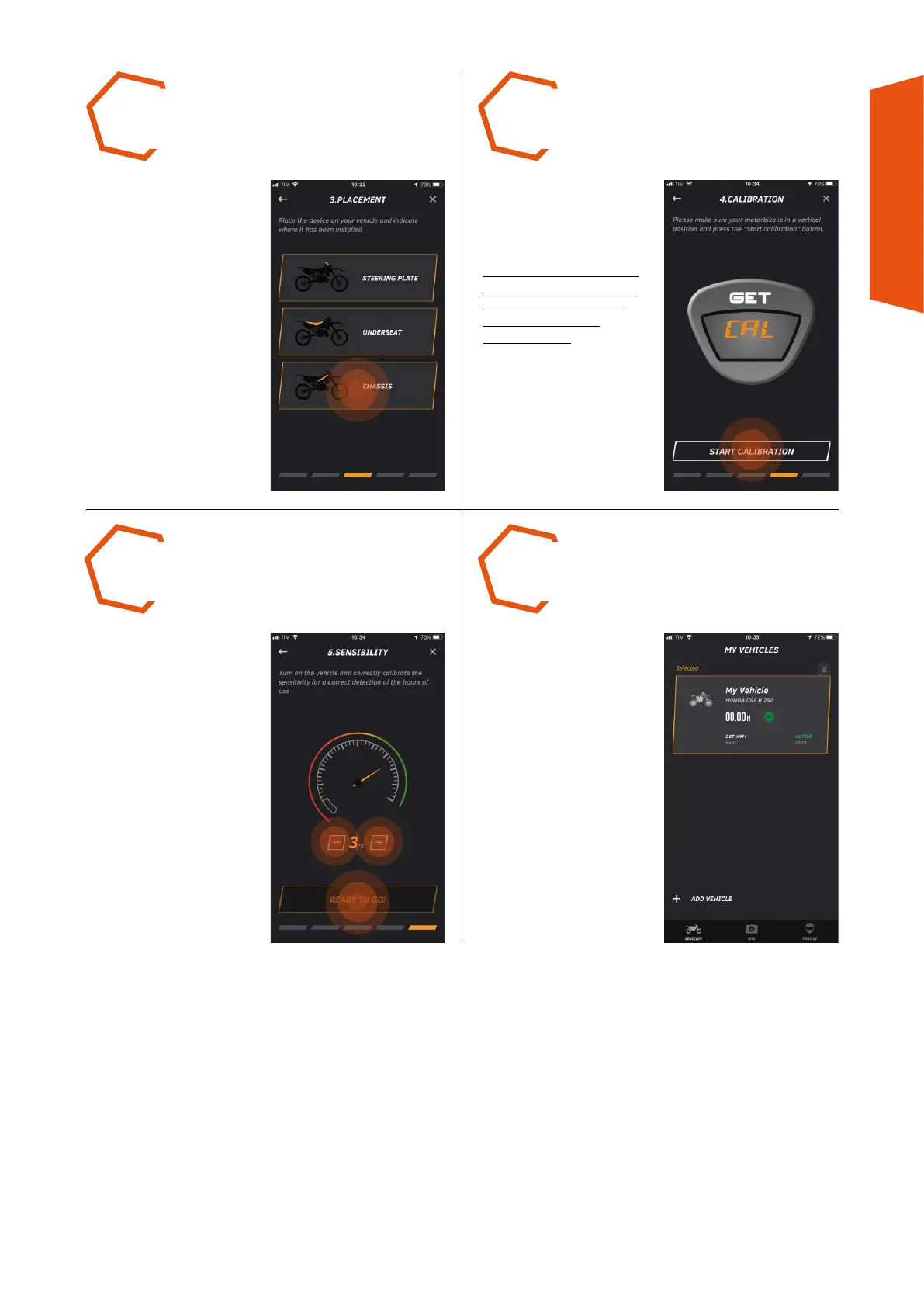
CALIBRATE the device
by pressing START
CALIBRATION to enable the
SOS function.
BE SURE TO CARRY OUT
CALIBRATION WITH THE
ENGINE OFF AND THE
VEHICLE UPRIGHT
AND PARKED.
In the MY VEHICLES
section, VEHICLE CREATED
will appear and will be
exclusively linked to the
SMART SOS used during
the creation process.
START THE ENGINE
and if necessary regulate
the tuning, using the +
and – buttons, so that the
indicator is in the green
zone. Press READY TO GO
to end this procedure.
INDICATE THE POSITION
where the device has been
installed.
STEP 9 STEP 10
STEP 12STEP 11



 To Next Page