EasyManua.ls Logo

Getac K120 - Page 16

Getac K120
87 pages
Print Icon
To Next Page IconTo Next Page
To Previous Page IconTo Previous Page
Loading...
10
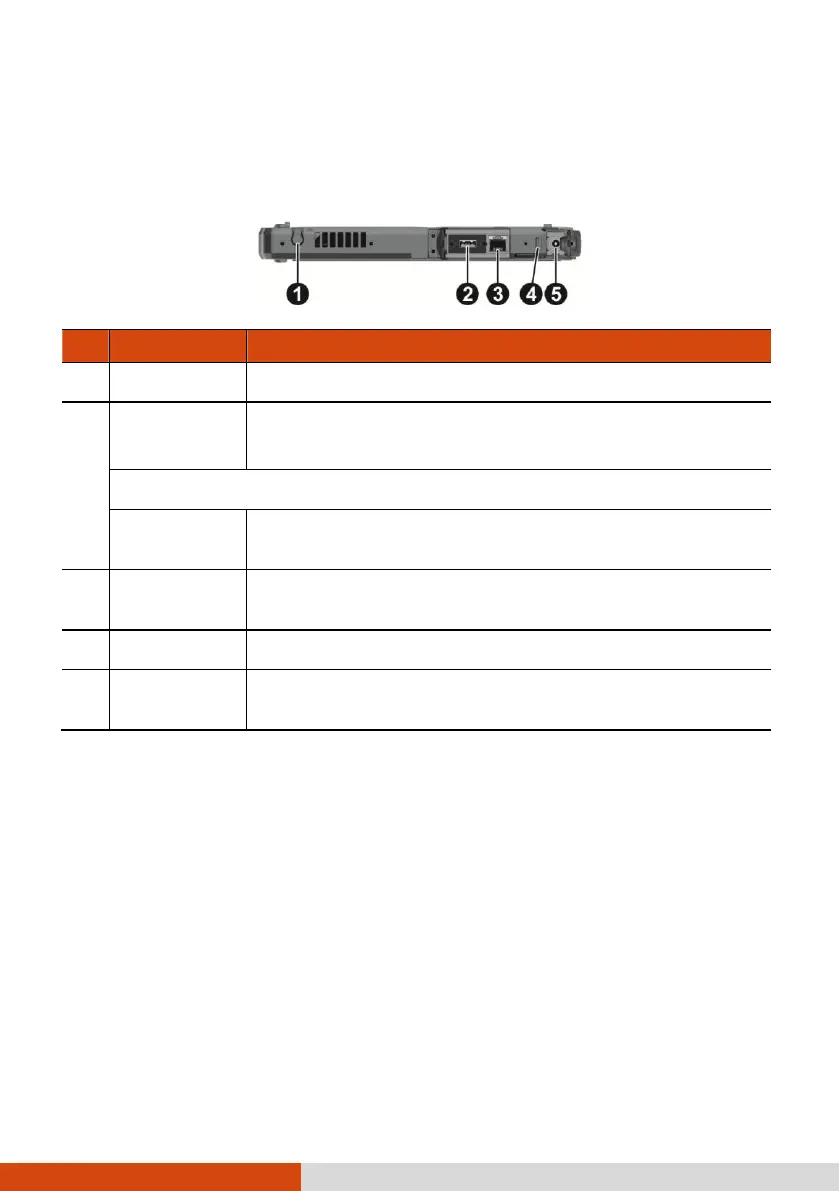
Right-Side Components
For covers with an arrowhead icon, push the cover toward one side to unlock and
the other side to lock. The arrowhead points to the side for unlocking.
Ref
Component
Description
Stylus holder
Holds the stylus.
USB 2.0 port
Connects a USB device, such as a USB flash disk, printer,
digital camera, joystick, and more.
- or -
RS232 serial
connector
Connects a serial mouse or serial communication device.
RJ-45
connector
Connects the LAN cable.
Security lock
Locks the cover of the power connector.

Power
connector
Connects the AC adapter.

Table of Contents

Other manuals for Getac K120

Related product manuals