11
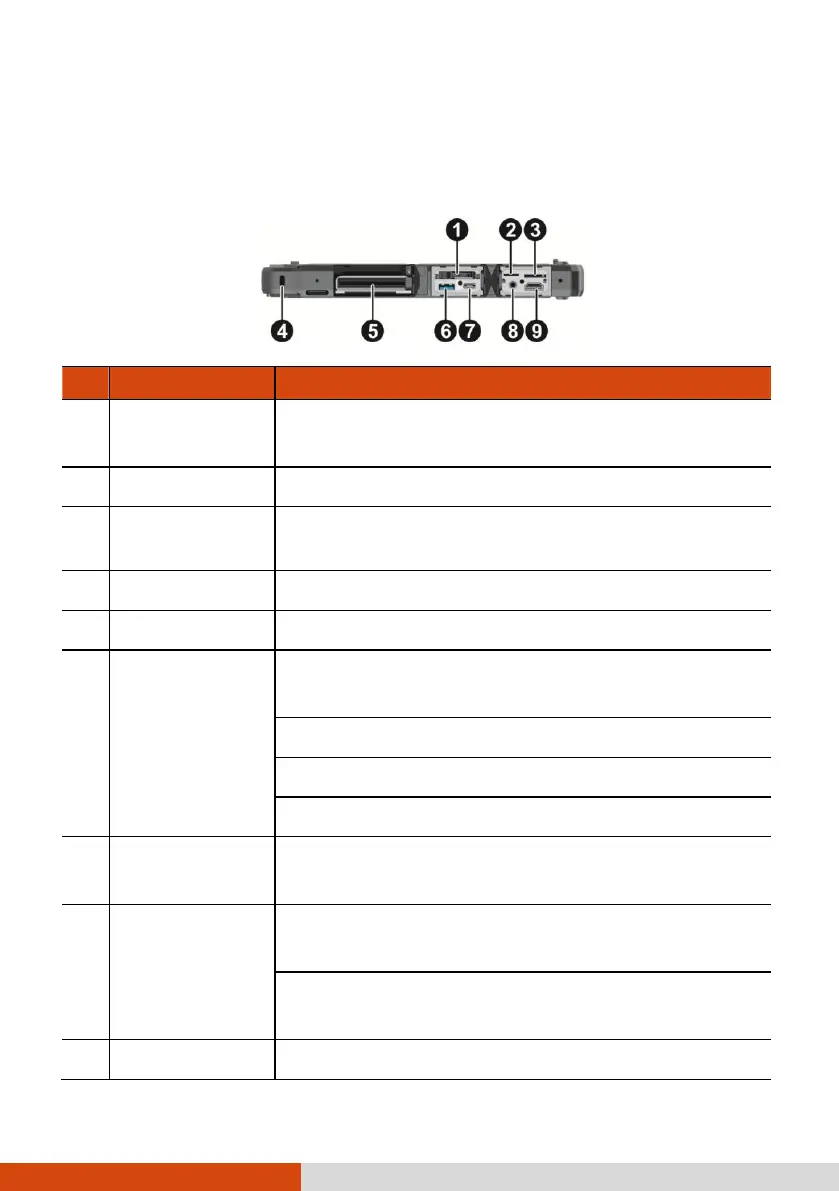
Left-Side Components
For covers with an arrowhead icon, push the cover toward one side to unlock and
the other side to lock. The arrowhead points to the side for unlocking.
Contains the solid-state drive, which is the mass storage
device of your computer.
Accepts a microSD card for removable storage media.
Micro-SIM card
slot (optional)
Accepts a micro-SIM card for models having the WWAN
module.
Locks the computer to a stationary object for security.
Accepts a smart card for additional security feature.
Provides either of the below two functions depending on
your setting.
Charges a connected mobile device.
Functions as a standard USB 3.0 port (default setting).
USB 3.1 Gen 1
Type-C port
Connects a USB device that supports USB Type-C
connection.
Connects a set of headphones or external speakers with
amplifier.
Supports a headset microphone with 4-pole TRRS 3.5mm
jack.
Connects a HDMI monitor or TV set.



 To Next Page