3
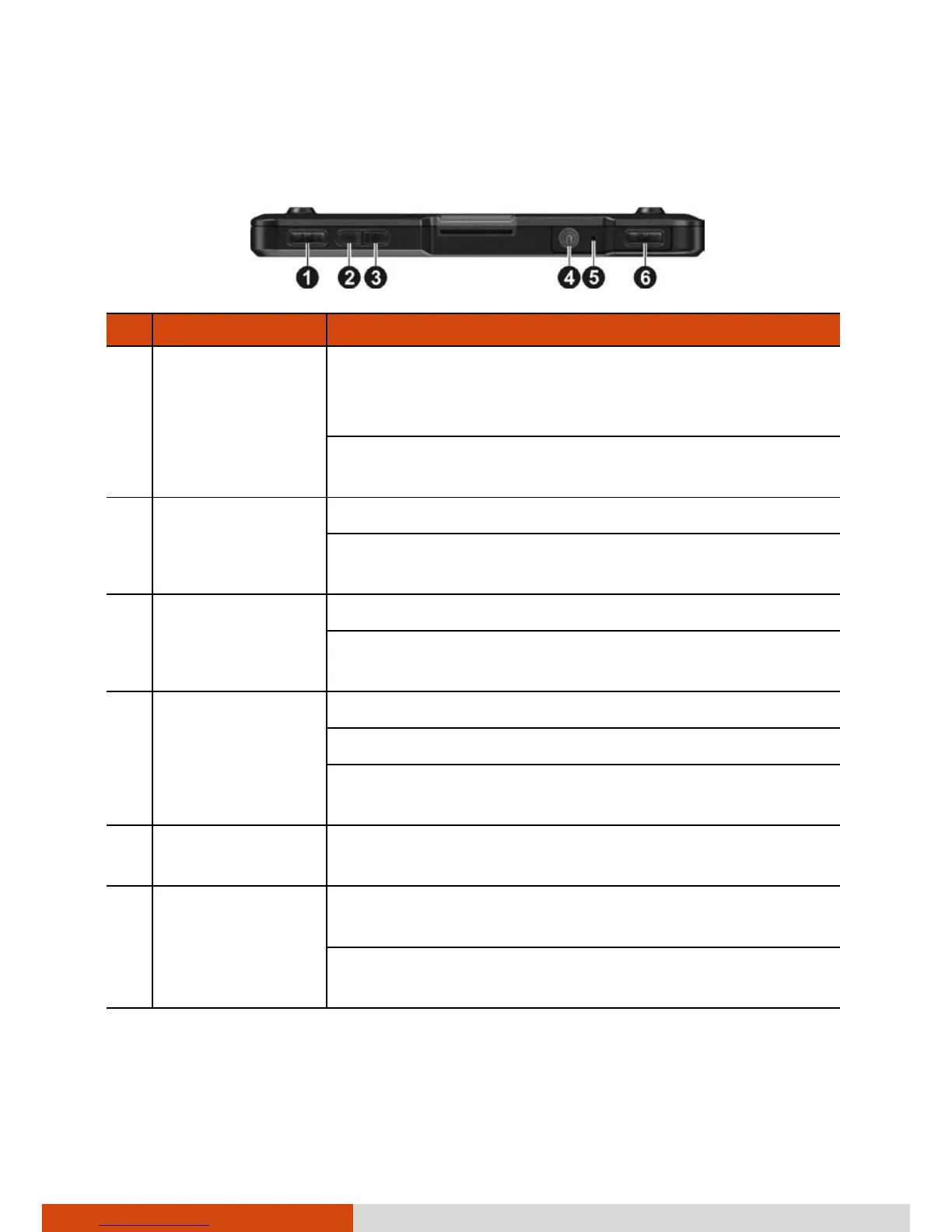
Top Components
Ref Component Description
P1 quick button Disables/enables the touch screen (default setting).
When disabled, you will see a frame around the
screen and a message at the bottom of the screen.
Can be assigned to a different function through
Settings.
Minus button
Decreases the brightness level (default setting).
Can be assigned to a different function through
Settings.
Plus button
Increases the brightness level (default setting).
Can be assigned to a different function through
Settings.
Power button Starts up the device.
Turns off or restores the screen.
When pressed longer:
Opens a menu with Power off option.
Reset switch
Restarts your device when pressed for more than 5
seconds.
P2 quick button



 To Next Page