2
2
. Identifying Components
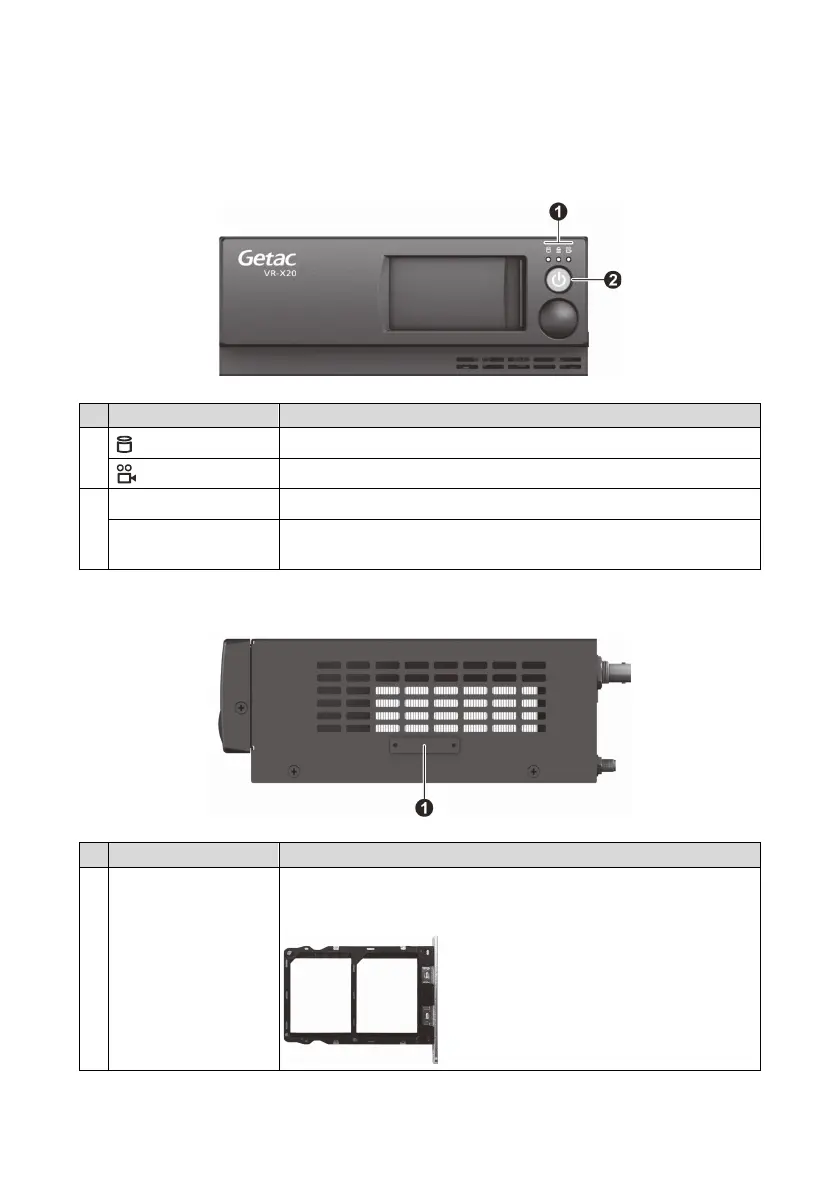
Front Panel
No. Name Description
HDD LED
Green light: HDD activity
Recording LED
Blue light: Video recording in progress
Power button Press to power on VR-X20.
Power LED Red light (for 10 seconds): DC power-in
Green light: Software ready
Side Panel
No. Name Description
Dual SIM card tray
To insert a SIM card, remove two screws, slide out the
SIM card tray, and put the SIM card in the matching
compartment.
SIM 1 SIM 2


 To Next Page