30
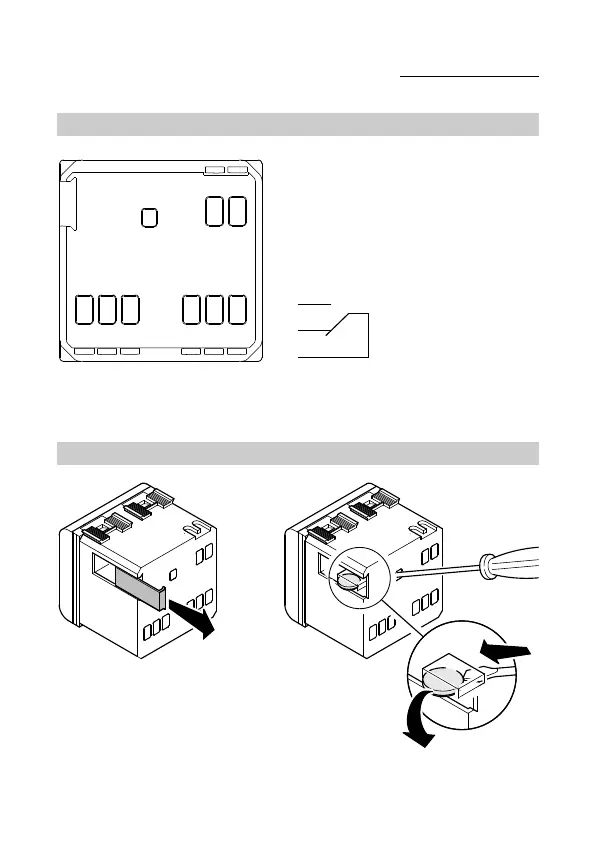
Cabling terminals
Power supply
L - Phase
N - Neutral
Output relay
1 - NA contact
2 - NC contact
3 - Common
Serial line
4 - TX (output data)
5 - GND (common)
6 - RX (input data)
Terminal description
Battery removal
In case of necessity (e.g. having to dispose of the device, as
laid down by the WEEE standards), the programmer’s battery
is accessible by removing the cover as shown in figure A.
The use of a small screwdriver is recommended for extracting
the battery as shown in figure B.
AB
INSTALLATION INSTRUCTIONS


 To Next Page