25
2.4.3 External equipment
You can connect external equipment to the RWA-Emergency Power Control System.
This equipment can then either send signals to the RWA-Emergency Power Control
System or receive signals from it.
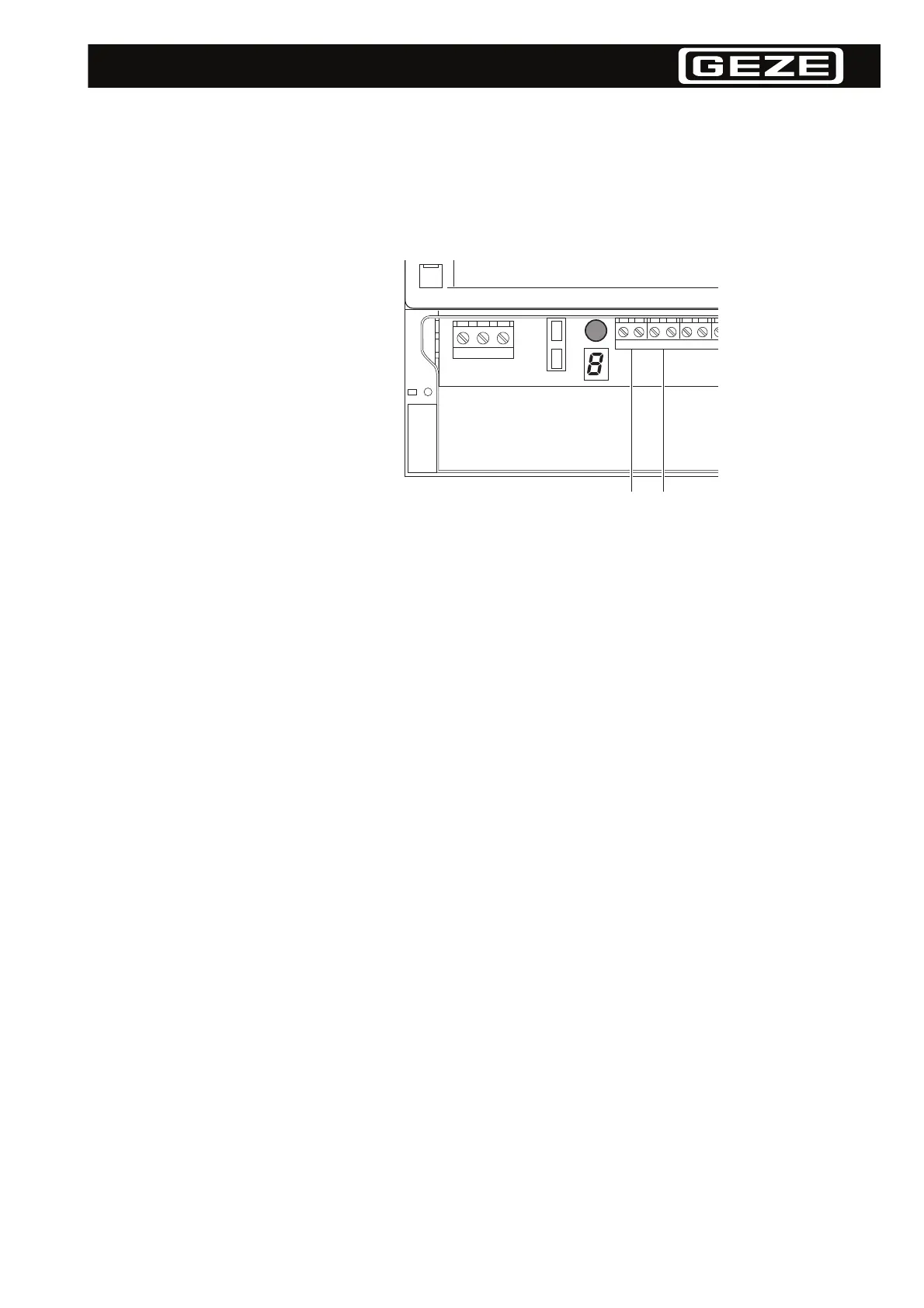
• Rain/wind sensor (floating (potential-free) make contact) (1)
• External fire alarm system (floating (potential-free) make contact) (2)
• Alarm signal (floating (potential-free) alarm contact)*
• Window Open signal (floating (potential-free) alarm contact)*
• Fault signal (floating (potential-free) alarm contact)*
* optional daughter card required
Connecting a rain/wind sensor You can connect a rain/wind sensor with a floating (potential-free) make contact.
If the rain/wind sensor is triggered:
• The ventilator switch is disabled.
• All the connected drives are run in the "Zu" (closing) direction.
The alarm program takes precedence over the rain/wind sensor. Which means in the
event of an alarm:
• The windows are opened even if the rain/wind sensor is active.
• The windows will not be closed, if the rain/wind sensor is triggered after the alarm.
Connecting an external fire alarm
system
You can connect an external fire alarm system with a floating (potential-free) make
contact.
If the external fire alarm system triggers an alarm, the same alarm program will be
started as for an alarm from an RWA switch or smoke/heat differential sensor.
The system is reset by the Reset button on the RWA-Emergency Power Control Sys-
tem or with the "Zu" (close) button on an RWA switch. Before the system can be re-
set, the external alarm signal must be switched off so that the RWA-Emergency
Power Control System can respond properly should a new alarm signal arrive from
the fire alarm system.
L1 PEN
212121
1 2


 To Next Page
 Loading...