IQ windowdrives
18
Menu structure
The drives are not supplied with voltage yet, since the WINDOW OPEN/CLOSE switch is still in the central position.
X
Set the "LIN-BUS" switch (5) to ON.
X
Set the "WINDOW" switch (4) to CLOSE.
The drive moves to its end position.
à The service terminal ST220 can only be used with the "LIN-BUS" switch in the ON position and the drive at a
standstill (setting parameters/diagnosis).
à The switch “Window” must be on CLOSE, otherwise no voltage will be connected to the drive.
If the rechargeable battery of the service case is not charged or is too weak:
X
Connect the mains connection cable (10) to the "MAIN POWER" connection (2).
X
Switch on the 24 V operating voltage of the service case using the "POWER 24 V" switch (3).
The green LED "POWER 24 V" lights up.
The ST220 switches on automatically and the start screen appears automatically.
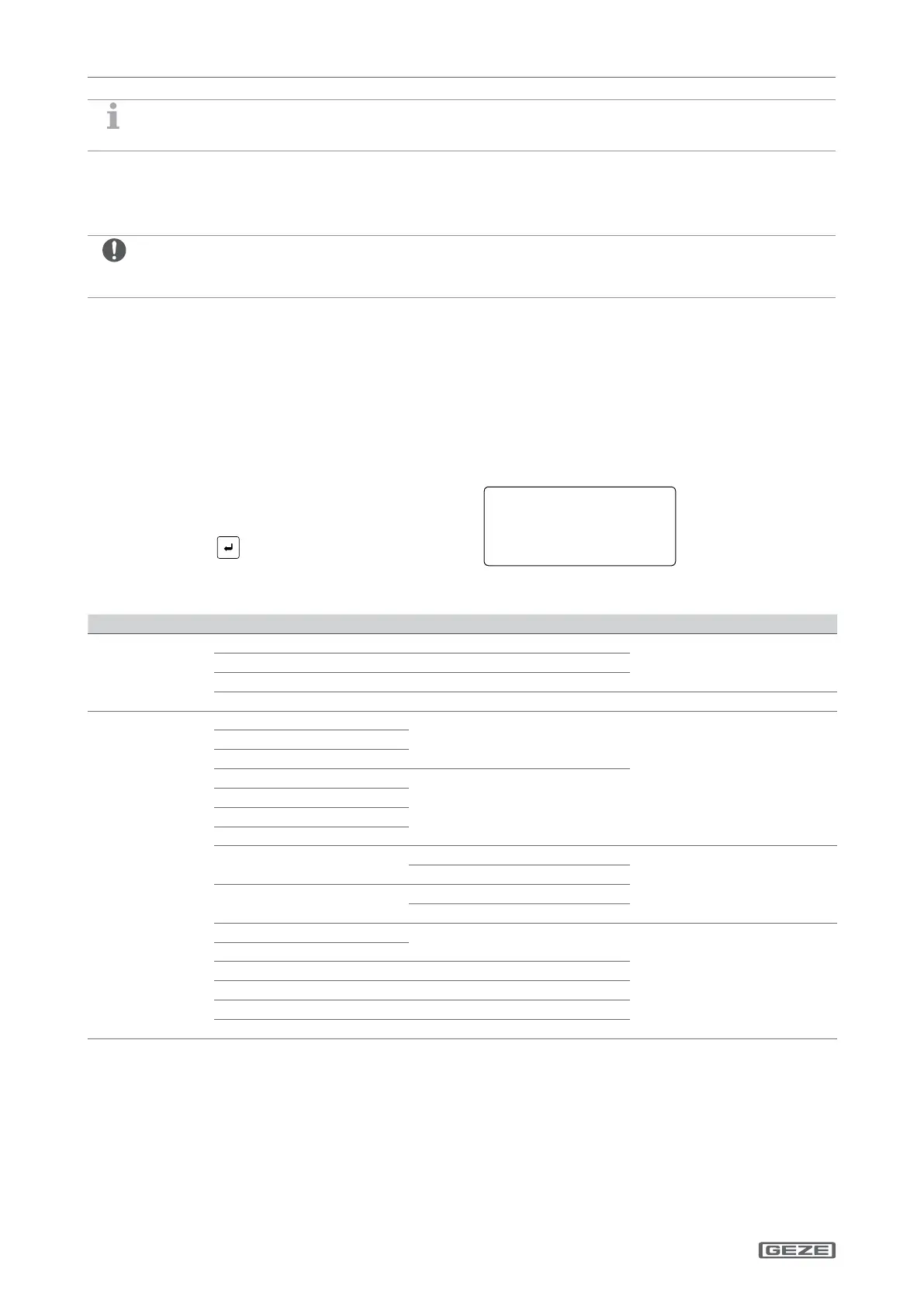
4 Menu structure
After the service terminal ST220 and the drive have
been connected to the service case, the start screen
appears:
X
Press the key to access the menu.
SlimChain 300 r
FSE102 3.0 B2
Status: Closed
i81 i82 i81 i82 i80
The IQ windowdrives menu is structured as follows:
Menu level 1 Menu level 2 Menu level 3 Menu level 4
Open/close
Open for ventilation Start/stop
Open due to alarm Start/stop
Close Start/stop
Unlock/lock Unlock/lock See chapter
Parameter
Ventilation opening speed
See Section Alarm opening speed
Closing speed
Ventilation stroke
See chapter
Alarm stroke
Relief stroke
Reversing stroke
Ventilation acceleration
Open exp.
See chapter
Close exp.
Ventilation braking
Open brakes
Close brakes
Alarm acceleration
See chapter
Alarm braking
Closing position force See chapter
Mode of operation push button See chapter
Stop condition See chapter
LO drive See chapter


 To Next Page