Schüttelapparate - Shakers
3012 / 3014 / 3017 / 3018 / 3020
Seite 12 von 24 Rev.1
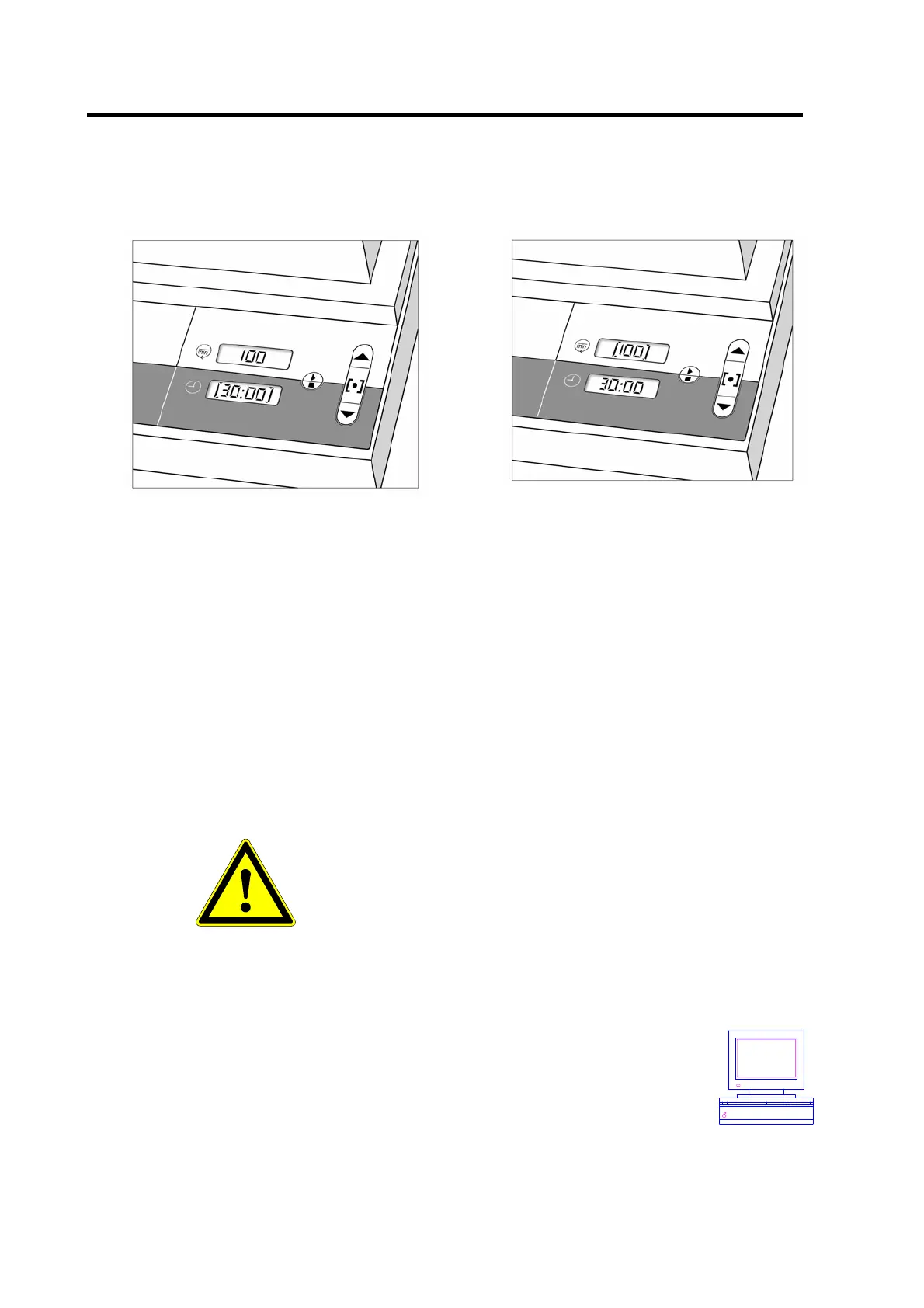
The set points are memorized after switching off the shaking motion with switch 4 and switching
off the unit with switch 1.
Setting running time
Setting shaking frequency
The running time of the Shakers can be
preset either between 1 minute and 99:59
hours for timed runs or for continuous
operation. Continuous operation can be set
with switch 5 in the operation mode and is
displayed by the symbol - - : - -,∞
The settable shaking frequency range of the
various models can taken from "Technical
Data" – chapter 7 – of these operating
instructions.
Mistakenly preset set points can be altered during operation with switch 6 and switches 5 and 7,
and switch 4, as described above. Set points that are altered during operation will not be
memorized when the Shaker is switched off with switch 1.
If the Shaker is not used for a longer period, the main switch at the back of the unit should be
switched off (position 0).
4.3 Remote control via PC
Caution!
Before initiation, please check the Shaker assembly
to make sure that any hazard is excluded. The Shaker
must be operated within field of vision.
If the Shaker is in remote control mode,
take special caution in the operation area
of the Shaker.
The remote control programme
may start the Shaker at any time
An interface module with connection at the back of the Shaker generates
the transmission format RS 232. The interface allows reading out current
actual and set values. In order to set values, the unit has to be switched to
remote control mode via a PC signal. Function of switches 4 – 7 is then
blocked. A PC symbol flashes in display 3.
The connection cable between interface and PC must not be longer
than 3 metres.
After switching on the remote control mode, the regulator is inactive, the shaking motion is
switched off, and the set value is 0.


 To Next Page