7
©Ghost Controls 2021
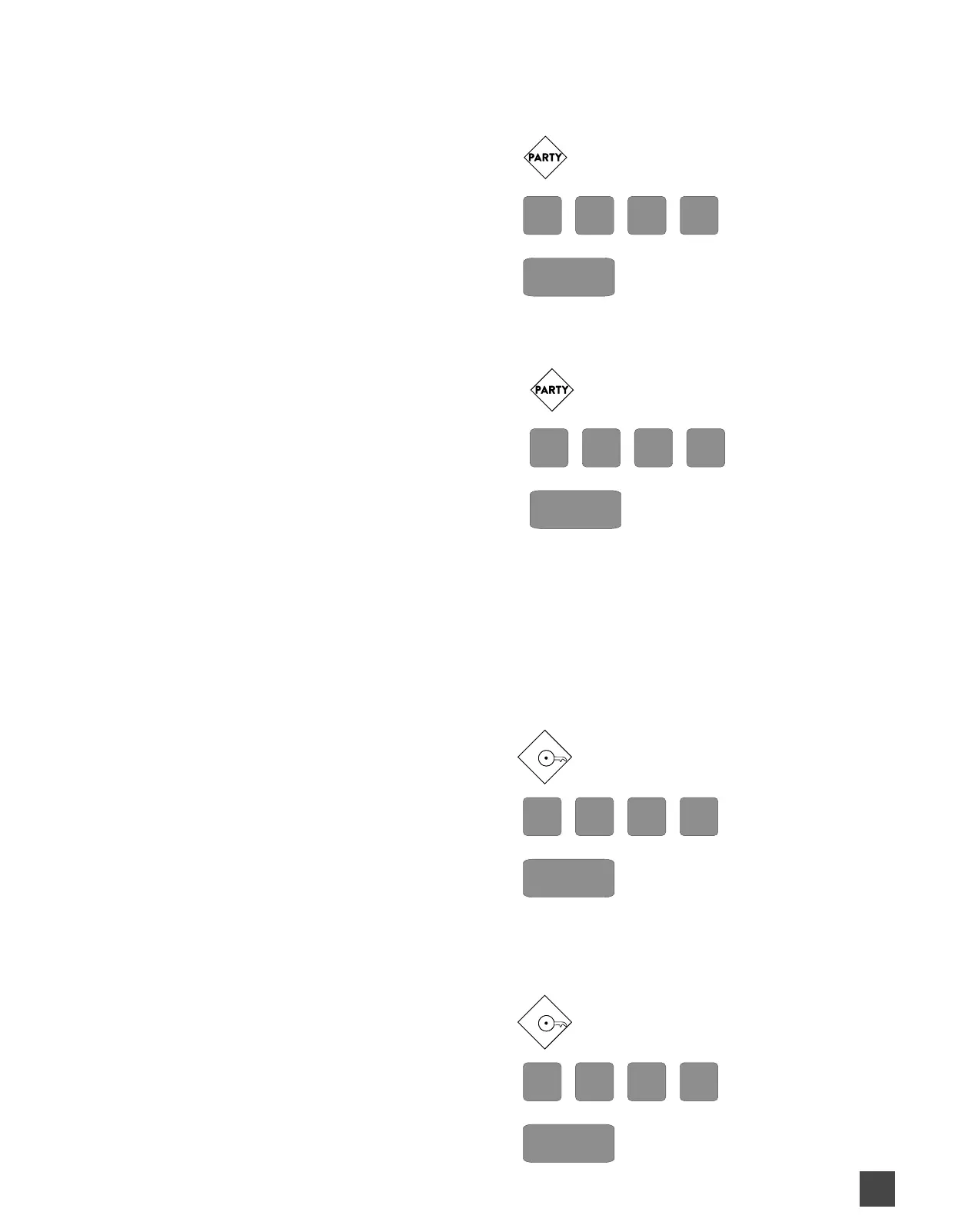
ENABLE PARTYMODE: (this holds your gate open)
When Partymode is enabled the gate will stay open and autoclose (if enabled) is suspended. The gate opener will BEEP TWICE
if attempting to close the gate while PartyMode is enabled.
1. Press and Release PARTY BUTTON
2. Enter your PRIMARY PIN
3. Press SEND
DISABLE PARTYMODE:
When Partymode is disabled the gate will BEEP THREE (3) TIMES to indicate that it is exiting PartyMode.
1. Press and Release PARTY BUTTON
2. Enter your PRIMARY PIN
3. Press SEND
NOTE: IF THE ABOVE DOES NOT DISABLE PARTYMODE TURN THE GATE OPENER OFF AT CONTROL BOX AND
THEN BACK ON AND THIS WILL EXIT PARTYMODE.
ENABLE PARTYMODE SECURE OR 1KEY MODE: (Pressing any # key on the keypad
allows guest to enter your property while keeping it secure because the gate shuts after each guest when autoclose
is set) The PartyMode Secure button will stay lit for a few seconds letting you know PartyMode Secure is enabled.
This mode is useful when a guest is not required to use a PIN to operate the gate such as when it is installed on the inside of the
property for guests to exit property.
We recommend that the Autoclose feature on the gate opener is enabled when using this feature.
1. Press and Release 1-KEY BUTTON
2. Enter your PRIMARY PIN
3. Press SEND
DISABLE PARTYMODE SECURE OR 1KEY MODE:
When Partymode Secure is disabled the gate will go back its normal programmed autoclose gate setting.
1. Press and Release 1-KEY BUTTON
2. Enter your PRIMARY PIN
3. Press SEND
1
1


 To Next Page