60
HARD W IRED A C C .
© G host C ontr ols
®
2 0 2 0
NOTE
Please refer to the manufacturer’s manual or website for more detailed instructions on how to connect and use accessories
from other manufacturer’s with your Ghost Controls
®
gate opener.
PREPARING CONTROL BOX FOR ACCESSORY WIRING
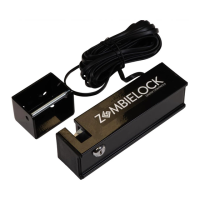
CONNECTING GHOST CONTROLS ZOMBIE GATE LOCK
ONLY ACCEPTS patented GHOST CONTROLS
®
AXZL Zombie Gate Lock with
feedback system.
Controller will automatically detect lock present and respond accordingly.
Lock (if present) will be pulled (unlocked) for the first few seconds while opening. If
lock is not completely pulled the gate will not open to prevent damaging to the gate
and lock.
Lock will also be pulled (unlocked) near the closed limit position as it is closing
to ensure a smooth and “soft” operation.
DISCONNECTING LOCK FROM CONTROL BOARD
Turn control panel OFF.
Hold down BOTH the “JOG OPEN” and “JOG CLOSE” for the 1st Arm.
Turn the system control board ON and continue to hold the
JOG OPEN and JOG CLOSE buttons down for approximately 6-8 seconds.
Your system is now reset.
Test your system operation with the Remote Transmitter.
CONNECTING OPTIONAL
HARDWIRED ACCESSORIES
CONNECTING TO CONTROL BOARD
CLOSE-UP VIEW
OF BOTTOM OF
CONTROL BOX


 To Next Page