This document is the user manual for the GIGABYTE H510M S2H V2 motherboard, providing comprehensive information on its installation, BIOS setup, and driver installation.
Function Description
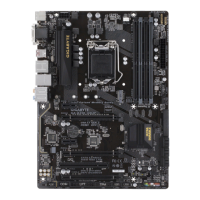
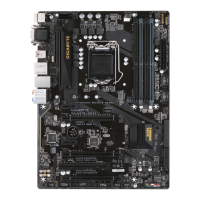
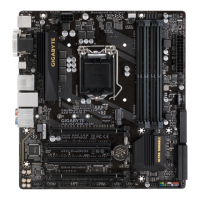
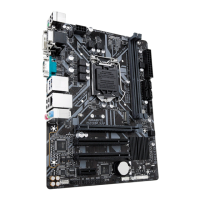
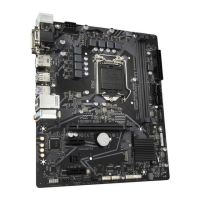
The GIGABYTE H510M S2H V2 is a micro ATX form factor motherboard designed to support Intel LGA1200 socket processors. It serves as the central hub for a computer system, connecting and enabling communication between various components such as the CPU, memory, storage devices, and expansion cards. The motherboard features integrated graphics support, high-definition audio, and a Gigabit Ethernet LAN for network connectivity. Its BIOS setup program allows users to configure basic system settings, manage hardware parameters, and update the BIOS. The motherboard also includes GIGABYTE's APP Center for various utilities and features like @BIOS, EasyTune, Fast Boot, and Smart Backup.
Important Technical Specifications
CPU Support:
- LGA1200 socket.
- Supports 11th Generation Intel® Core™ i9/i7/i5 processors.
- Supports 10th Generation Intel® Core™ i9/i7/i5/i3, Pentium®, and Celeron® processors (limited to processors with 4 MB Intel® Smart Cache, Intel® Celeron® G5xx5 family).
- L3 cache varies with CPU.
Chipset:
- Intel® H510 Express Chipset.
Memory:
- 2 x DDR4 DIMM sockets, supporting up to 64 GB (32 GB single DIMM capacity).
- Dual channel memory architecture.
- 11th Gen Intel® Core™ i9/i7/i5 processors support DDR4 3200/3000/2933/2666/2400/2133 MHz.
- 10th Gen Intel® Core™ i9/i7 processors support DDR4 2933/2666/2400/2133 MHz.
- 10th Gen Intel® Core™ i5/i3/Pentium®/Celeron® processors support DDR4 2666/2400/2133 MHz.
- Supports ECC Un-buffered DIMM 1Rx8/2Rx8 (non-ECC mode) and non-ECC Un-buffered DIMM 1Rx8/2Rx8/1Rx16 memory modules.
- Supports Extreme Memory Profile (XMP) memory modules.
Onboard Graphics:
- Integrated Graphics Processor (Intel® HD Graphics support).
- 1 x DVI-D port, max resolution 1920x1200@60 Hz (does not support D-Sub by adapter).
- 1 x HDMI port, max resolution 4096x2160@30 Hz (HDMI 1.4, HDCP 2.3).
- 1 x DisplayPort, max resolution 4096x2304@60 Hz (DisplayPort 1.2, HDCP 2.3).
- Supports up to 2 displays simultaneously.
Audio:
- Realtek® Audio CODEC.
- High Definition Audio.
- 2/4/5.1/7.1-channel audio support (requires software configuration for 7.1-channel).
LAN:
- Realtek® GbE LAN chip (1 Gbps/100 Mbps).
Expansion Slots:
- 1 x PCI Express x16 slot, running at x16 (PCIe 4.0 standard, supported by 11th Gen processors only).
- 2 x PCI Express x1 slots (PCIe 3.0 standard).
Storage Interface:
- 1 x M.2 connector (Socket 3, M key, type 2260/2280 SATA and PCIe 3.0 x4/x2 SSD support).
- The PCIEX1_1 slot shares bandwidth with the M.2 connector; if PCIEX1_1 is populated, M.2 supports up to PCIe 3.0 x2 SSD only.
- 4 x SATA 6Gb/s connectors.
USB Ports:
- Chipset: 4 x USB 3.2 Gen 1 ports (2 on back panel, 2 via internal header).
- Chipset+USB 2.0 Hub: 8 x USB 2.0/1.1 ports (4 on back panel, 4 via internal header).
Internal Connectors:
- 1 x 24-pin ATX main power connector.
- 1 x 8-pin ATX 12V power connector.
- 4 x SATA 6Gb/s connectors.
- 1 x CPU fan header, 2 x system fan headers.
- 1 x RGB LED strip header.
- 1 x front panel header, 1 x front panel audio header.
- 1 x USB 3.2 Gen 1 header, 2 x USB 2.0/1.1 headers.
- 1 x Trusted Platform Module header.
- 1 x serial port header, 1 x Clear CMOS jumper.
Back Panel Connectors:
- 1 x PS/2 keyboard port, 1 x PS/2 mouse port.
- 1 x DVI-D port, 1 x DisplayPort, 1 x HDMI port.
- 2 x USB 3.2 Gen 1 ports, 4 x USB 2.0/1.1 ports.
- 1 x RJ-45 port.
- 3 x audio jacks.
I/O Controller:
- ITE® I/O Controller Chip.
BIOS:
- 1 x 256 Mbit flash.
- Licensed AMI UEFI BIOS.
- PnP 1.0a, DMI 2.7, WfM 2.0, SM BIOS 2.7, ACPI 5.0.
Form Factor:
- Micro ATX Form Factor; 24.4cm x 21.0cm.
Usage Features
Installation:
- CPU Installation: Detailed instructions for installing the CPU, including alignment keys and thermal grease application. Emphasizes turning off power and not touching metal leads.
- Memory Installation: Guidelines for installing DDR4 memory modules, recommending modules of the same capacity, brand, speed, and chips for optimal performance. Supports Dual Channel Memory Configuration.
- Expansion Card Installation: Precautions for installing expansion cards, stressing power disconnection and secure connections.
- Internal Connectors: Clear diagrams and pin definitions for all internal headers, including power, fan, SATA, USB, audio, and front panel connectors.
- M.2 SSD Installation: Step-by-step guide for installing M.2 SSDs, including mounting clip usage and compatibility notes with SATA connectors.
BIOS Setup:
- Access: Press during POST to enter BIOS Setup.
- Modes: Easy Mode for quick overview and adjustments, Advanced Mode for detailed settings.
- Navigation: Uses arrow keys and in Advanced Mode, mouse in Easy Mode.
- Smart Fan 6: Advanced fan control utility to monitor temperatures and adjust fan speeds for CPU and system fans, with options for Normal, Silent, Manual, and Full Speed modes. Includes fan fail warning.
- Tweaker: Overclocking and performance tuning options for CPU, memory, and voltages. Includes settings for CPU Clock Ratio, Ring Ratio, IGP Ratio, AVX Disable, CPU Thermal Monitor, EIST, Turbo Boost Technology, and various power limits.
- Settings: Configuration options for Platform Power Management (ASPM), Power On By Keyboard/Mouse, ErP, Resume by Alarm, AC BACK, IO Ports (Initial Display Output, Internal Graphics), OnBoard LAN/Audio Controller, USB Configuration (Legacy USB Support, XHCI Hand-off), Network Stack Configuration, SATA and RST Configuration (SATA Controller(s), SATA Mode Selection, Hot plug), and Intel Platform Trust Technology (PTT).
- Boot: Configures boot order, Fast Boot, SATA Support, VGA Support, USB Support, PS2 Devices Support, Network Stack Driver Support, Next Boot After AC Power Loss, Mouse Speed, Windows 10 Features, CSM Support, LAN PXE Boot Option ROM, Storage Boot Option Control, Other PCI devices, Administrator/User Password, Secure Boot, and Preferred Operating Mode.
- Save & Exit: Options to save changes, exit without saving, load optimized defaults, boot override, and save/load BIOS profiles.
Driver Installation:
- Procedure: Insert the motherboard driver disc, run "Run.exe," and use "Xpress Install" to automatically install recommended drivers or install them individually.
Maintenance Features
BIOS Management:
- BIOS Update: Supports GIGABYTE Q-Flash and @BIOS utility for updating the BIOS. Caution is advised due to potential risks.
- CMOS Clear: Instructions for clearing CMOS values by removing the battery or using the CLR_CMOS jumper to reset BIOS settings to factory defaults.
- BIOS Profiles: Ability to save and load multiple BIOS settings profiles, useful for experimenting with different configurations or restoring known good settings.
- Load Optimized Defaults: Option to reset all BIOS settings to their optimal default values, recommended after BIOS updates or clearing CMOS.
Hardware Monitoring:
- Hardware Monitor: Features voltage detection, temperature detection, fan speed detection, overheating warning, and fan fail warning.
- Smart Fan 6: Provides real-time monitoring of CPU and system temperatures and fan speeds, allowing for proactive thermal management.
Battery Replacement:
- CMOS Battery: Instructions for replacing the CMOS battery when its voltage is low or if CMOS values become inaccurate. Emphasizes power disconnection and correct battery orientation.
Environmental Responsibility:
- Recyclable Packaging: Packaging materials are recyclable and reusable, aligning with GIGABYTE's commitment to reducing environmental impact.
- WEEE Compliance: Adheres to the European Union's WEEE Directive for proper treatment, collection, recycling, and disposal of electronic devices.
- RoHS Compliance: Designed to be free from hazardous substances, meeting RoHS requirements.

 Need help?
 General


 To Next Page