Need help?
Do you have a question about the GIGA-BYTE TECHNOLOGY B460 HD3 and is the answer not in the manual?
Precautions for safe and proper installation of the motherboard and components.
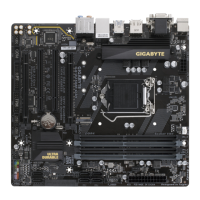
Detailed technical specifications of the motherboard, including CPU, memory, and I/O.
Step-by-step guide on how to correctly install the CPU onto the motherboard socket.
Instructions for installing RAM modules, including dual-channel configuration.
Guidance on installing expansion cards into PCI Express slots.
Description and function of all connectors on the motherboard's rear I/O panel.
Overview of internal connectors on the motherboard for system components.
Description of the initial GIGABYTE logo screen displayed during system boot.
Explanation of the main BIOS interface, including navigation and function keys.
How to set and access frequently used BIOS options as favorites.
Advanced settings for CPU, memory, and system performance tuning.
Configuration options for platform power, keyboard/mouse control, and system features.
Display of motherboard model, BIOS version, and system date/time settings.
Settings related to system boot order, security, and startup options.
Options for saving BIOS changes, loading defaults, and exiting the setup utility.
Guide to setting up RAID arrays using the motherboard's SATA controller.
Steps for installing and configuring Intel Optane Memory for system acceleration.
Instructions for installing essential motherboard drivers after OS installation.
 General
| Form Factor | ATX |
|---|---|
| Socket | LGA 1200 |
| Chipset | Intel B460 |
| Memory Type | DDR4 |
| Memory Slots | 4 |
| Max Memory Capacity | 128 GB |
| PCI Express x16 Slots | 1 |
| PCI Express x1 Slots | 2 |
| Storage Interface | SATA 6Gb/s, M.2 |
| SATA 6Gb/s Ports | 6 |
| M.2 Slots | 1 |
| USB Ports | 8 |
| USB 3.2 Gen 1 Ports | 6 |
| USB 2.0 Ports | 4 |
| Video Outputs | HDMI, DVI-D |
| Audio | Realtek ALC887 |
| Memory Speed | 2133/2400/2666 MHz |
| LAN | Realtek GbE LAN |

 To Next Page