EasyManua.ls Logo

Gigabyte AORUS CV27F - User Manual

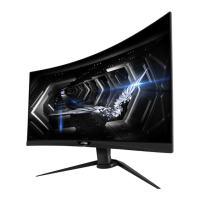
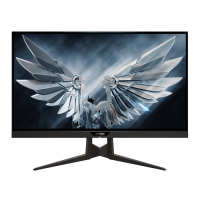
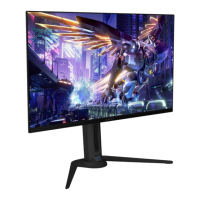
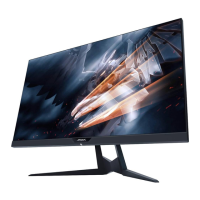
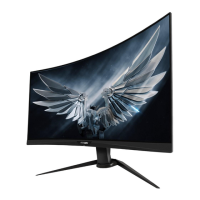
Gigabyte AORUS CV27F
43 pages
Print Icon
To Next Page IconTo Next Page
Loading...
USER GUIDE
GAMING MONITOR
TACTICAL

Questions and Answers

  • E
    Elaine BryanAug 10, 2025
    How to troubleshoot a Gigabyte Monitor that won't turn on?
    • K
      kwareAug 11, 2025
      If your Gigabyte monitor isn't powering on, ensure the power cable is securely connected to both the monitor and the power source. Also, inspect the cable and plug for any signs of damage. Finally, verify that the monitor's power switch is in the 'on' position.
  • J
    jeffery89Aug 18, 2025
    Why is there no sound coming from my Gigabyte AORUS CV27F?
    • L
      Laurie BallAug 18, 2025
      If you're experiencing sound issues with your Gigabyte monitor, start by ensuring the headphone cable is properly connected. Then, adjust the volume level on the monitor. Lastly, check your computer's sound settings to ensure they are properly configured.
  • J
    Jeffrey WadeAug 26, 2025
    What to do if my Gigabyte Monitor has no image?
    • K
      Katherine HurstAug 26, 2025
      If your Gigabyte monitor displays no image, first, check that the monitor and computer are correctly connected and both are powered on. Next, ensure you've selected the correct input source on the monitor. Finally, try adjusting the Brightness and Contrast settings to see if the image appears.
  • M
    Matthew Salazar MDSep 2, 2025
    How to fix distorted colors on Gigabyte AORUS CV27F Monitor?
    • B
      Benjamin RiveraSep 2, 2025
      If the colors on your Gigabyte monitor appear distorted, first, make sure the input signal cable is properly connected. If the issue persists, configure the image related settings on your monitor.

Gigabyte AORUS CV27F Specifications

General IconGeneral
Screen Size27 inches
Panel TypeVA
Refresh Rate165 Hz
Response Time1ms (MPRT)
Contrast Ratio3000:1
Aspect Ratio16:9
Curvature1500R
Viewing Angle178° (H) / 178° (V)
VESA Mount100 x 100 mm
Weight (with stand)7.5 kg
Resolution1920 x 1080 (Full HD)
Color Gamut90% DCI-P3
Ports2x HDMI, 1 x DisplayPort, 1 x Headphone Jack
Adaptive SyncAMD FreeSync

Related product manuals