Gigaset A690-A690A/AS690-AS690A / LUG-Kombi IE-UK (Amazon) en / A31008-M2816-L141-1-7619 / settings.fm / 2/19/21
Template Module, Version 2.1, 11.08.2020 / Template Basiseinstellungen: Version 3.1 - 07.07.2020
Phone settings
33
Phone settings
Date and time
Setting
Set the date/time so that the correct date and time can be assigned to incoming calls and to ena-
ble the alarm to be used.
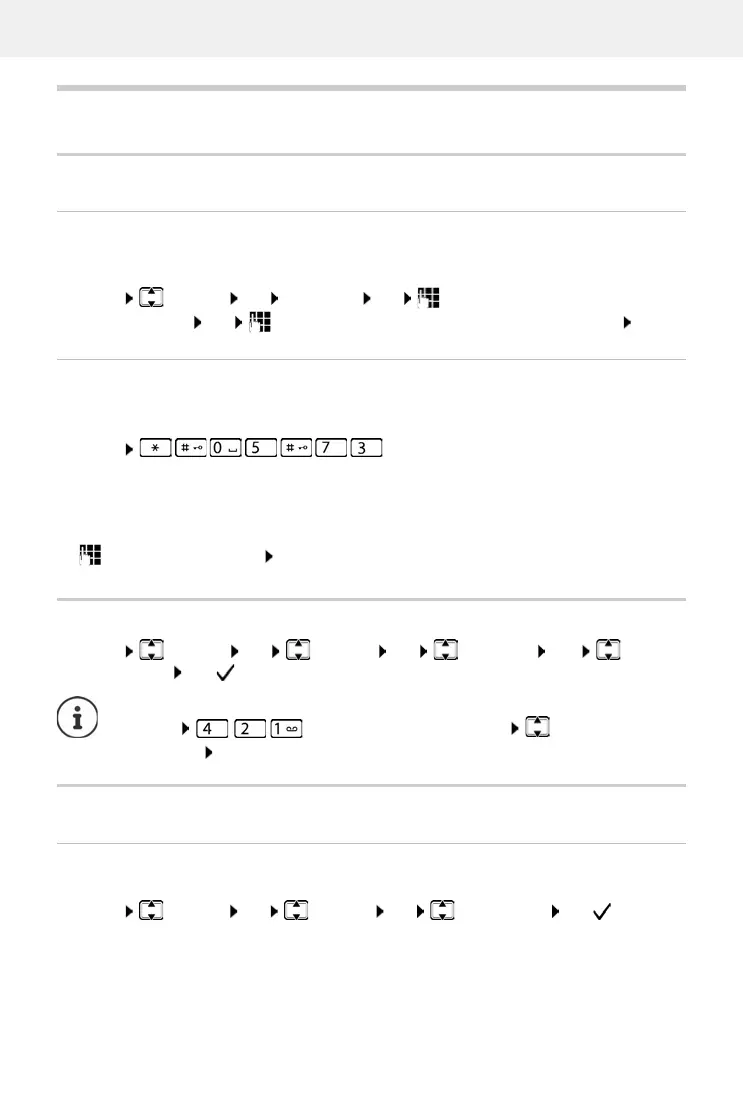
Menu Settings OK Date/Time OK Enter the date (day, month and year)
in 6-digit format OK Enter the time (hours and minutes) in 4-digit format OK
Using the network time
If date and time are also to be sent to your phone by your network operator (or a router/PABX)
during calling line identification, you can specify whether and when these are accepted:
Enter the required digit OK
Display language
Menu Settings OK Handset OK Language OK Select
the language OK ( = enabled)
Display
Large dial keys
Show large dial keys when dialling
Menu Settings OK Handset OK Big Dial Font OK ( = enabled)
Menu . . . The digit for the current setting flashes:
1 = Never
2 = Once, if the dat
e and time are not set on your phone or
3 = Always
If you accidentally choose a language you do not understand:
Menu Press keys one after the other Select the
language OK



 To Next Page