Template Module, Version 2, 20.02.2020,
Handset
Gigaset C575-C575A / LUG_Kombi CH en / A31008-M2907-F101-1-2X19 / settings_HS.fm / 4/27/20
64
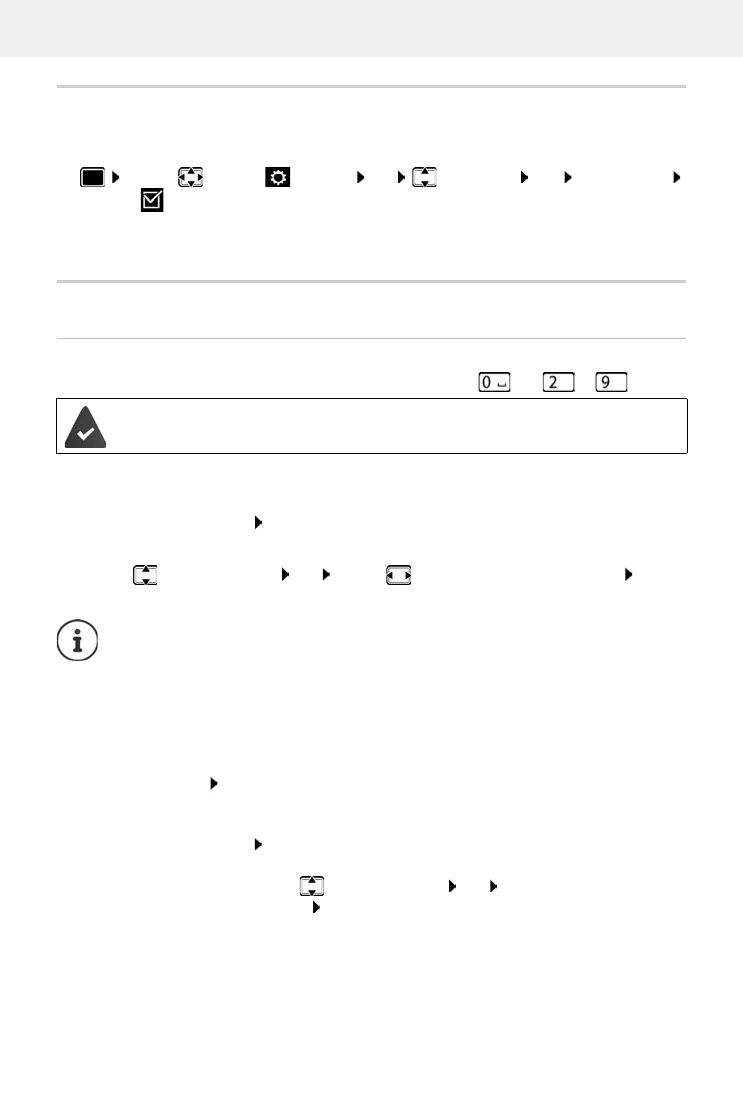
Activating/deactivating Auto Answer
When set to Auto Answer, the handset accepts an incoming call as soon as it is removed from the
charging cradle.
Regardless of the Au
to Answer setting, the connection ends as soon as you place the handset
back in the charging cradle.
Fast access to numbers and functions
Assigning a number to digit keys (quick dial)
It is possible to assign a number from the directory to the keys and to .
¤ Press and hold the digit key
or
¤ Briefly press the digit key Press the display key QuickDial
The directory opens.
¤ . . . use to select an entry OK . . . use to select a number if necessary OK . . .
the entry is saved to the digit key
Dialling a number
¤ Press and hold the digit key . . . the number is dialled immediately
or
¤ Briefly press the digit key . . . the number/name (possibly in abbreviated form) is shown on
the left display key . . . press the display key . . . the number is dialled
Changing the digit key assignment
¤ Briefly press the digit key Change . . . the directory is opened . . . possible options:
¤ . . . use to select Settings OK Telephony OK Auto Answer
Change ( = activated)
A number has not been assigned to the digit key.
If the entry in the directory is deleted later, this will not affect the assignment of the
digit key.
Change the assignment:
¤ . . . use to select an entry OK . . . select a number if
required OK
Delete the assignment:
¤ Clear Key










 To Next Page