4
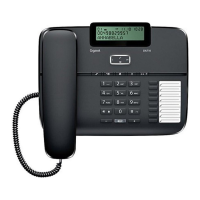
Function Buttons Description
M1 – M7
7 One touch memories (24 Digits maximum).
can store and dial frequently called number.s
Please refer to the user guide section ‘One
touch memories’
To scroll up/down when browsing selection
To review the dialled numbers. Press this
button then use keys to browse.
DELETE
To Delete an entry or a record in the memory.
Press and hold the button for more than 3
seconds, you can delete all records of the
incoming or outgoing calls.
ENTER To enter the telephone set up menu. Dial the
numbers in predial mode
(Phone Book)
70 Contact Name and Numbers can be
stored
Function
Buttons



 To Next Page