Template Module, Elderly, Version 1.1, 01.04.2019,
Extending the functionality of the phone
Gigaset E290-E290A / LUG-Kombi CH en / A31008-M2901-F101-1-2X19 / extending.fm / 5/5/20
48
Operating the base on a router/PABX
Operation with a router
When operating on the analogue connection of a router, any echoes occur-
ring can be reduced by enabling XES Mode (X
ES = eXtended Echo Suppres-
sion).
Operation with a PABX
The following settings are only necessary when your PABX requires them
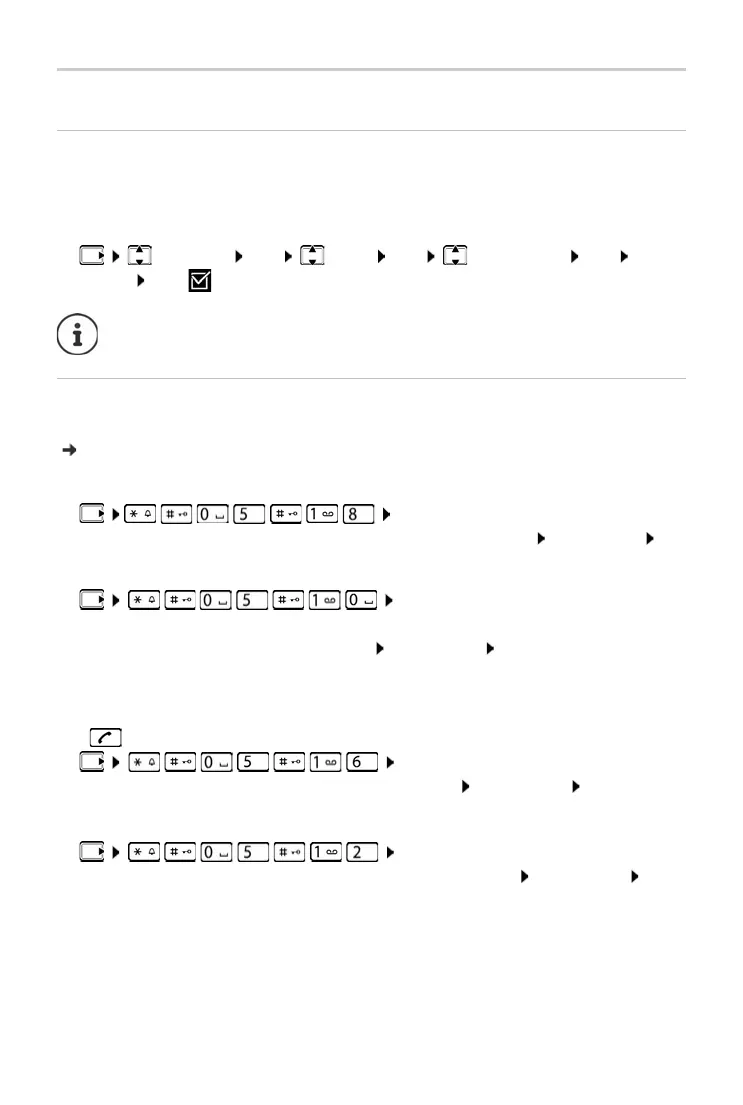
( refer to the PABX user guide). Enter the digits slo
wly one after the other.
Changing pause after line seizure
You can set the length of the pause inserted between pressing the Talk
key and sending the phone number.
¤ The digit for the current pause
length flashes: 1 = 1
sec.; 2 = 3 sec.; 3 = 7 sec. Enter digit OK
Changing pause after recall key
¤ The digit for the current pause
length flashes: 1 = 800 ms; 2 = 1600 ms; 3 = 3200 ms Enter digit OK
¤ Settings OK Base OK Additional OK XES
Mode OK ( = enabled)
If there are no problems with echoes, this function should be disa-
bled.
Changing the dialling mode
¤ The digit for the dialling mode set
flashes: 0
= Tone dialling (DTMF); 1 = Pulse dialling (PD) Enter digit OK
Setting the flash time
¤ The digit for the current flash time
flashes: 0 = 80 ms; 1 = 100 ms; 2 = 120 ms; 3 = 400 ms; 4 = 250 ms;
5 = 300 ms; 6 = 600 ms; 7 = 800 ms Enter digit OK



 To Next Page