Template Module, Elderly, Version 1.0, 20.02.2019,
Phone settings
Gigaset E290-E290A / LUG-Kombi CH en / A31008-M2901-F101-1-2X19 / settings.fm / 5/5/20
50
Display
Screensaver
Large dial keys
Show large dial keys when dialling
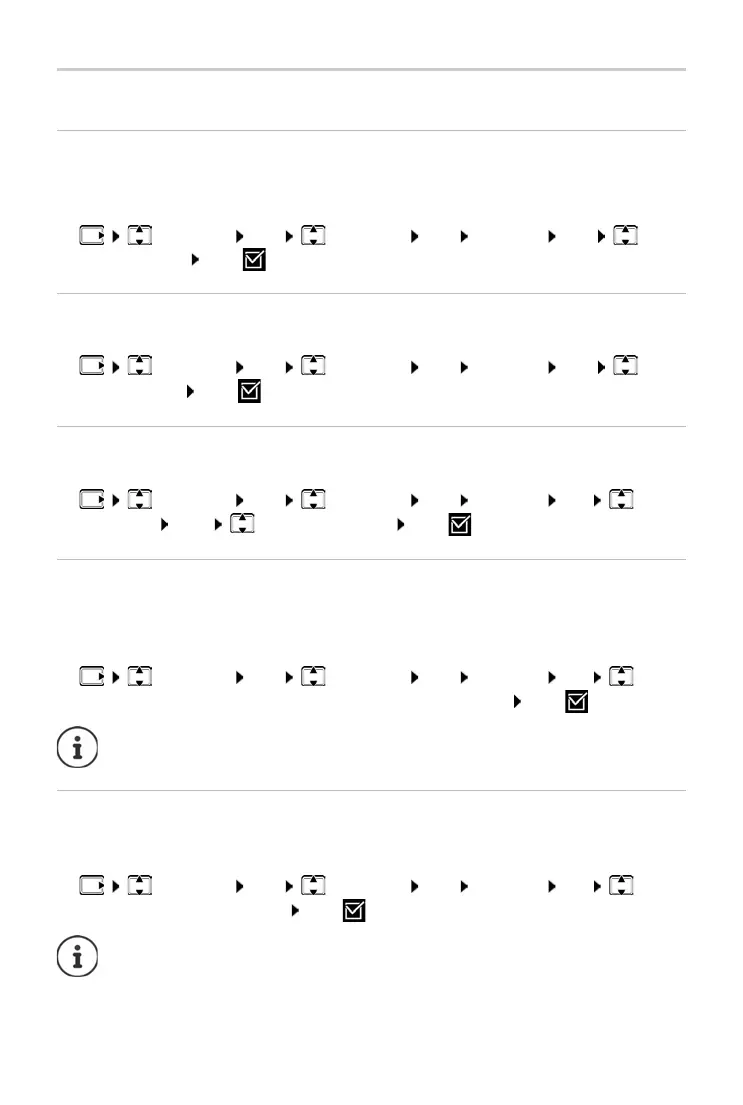
¤ Settings OK Handset OK Display OK
Larger Font OK ( = enabled)
Contrast
Adjust the display contrast on 9 levels.
¤ Settings OK Handset OK Display OK
Contrast OK Select the level OK ( = selected)
Backlight
The display light is switched off when the handset is not used over a long
period of time. You can enable/disable this function separately for situations
handset in charging cradle and handset not in charging cradle.
¤ Settings OK Handset OK Display OK
Display On Out of Charg. or Displ
ay On In Charger OK ( = enabled)
During a call, the display is off
During a call, the display normally stays on. When the function is enabled, the
display is switched off during calls.
¤ Settings OK Handset OK Display OK
Display Off During Calls OK
( = enabled)
The screensaver is enabled when the phone is not used over a longer period
of time
. The time is shown as the screensaver.
¤ Settings OK Handset OK Display OK
Screensaver OK ( = enabled)
The Dis
play On Out of Charg. setting reduces the standby time.
If the function is disabled, talk time is reduced.



 To Next Page