21
Gigaset E550/E550 A / UK-IE en / A31008-M2504-L101-1-7619 / starting.fm / 4/20/15
A-Klasse_Layout_Neu, Version 4, 28.05.2014
Using the phone
Reverting to idle status
From any point in the menu:
¤ Press and hold the end call key a or
¤ Do not press any key: after 2 minutes, the display
will automatically revert to idle status.
Activating/deactivating the keypad lock
The keypad lock prevents any inadvertent use of the phone.
# In idle status, press and hold the hash key (confirmation tone). The key-
pad lock is activated or deactivated. If it is activated, the
Ø icon
appears in the display.
If the keypad lock is activated, a corresponding message is displayed when you press
a key.
The keypad lock deactivates automatically when you receive a call. It is reactivated
when the call is finished.
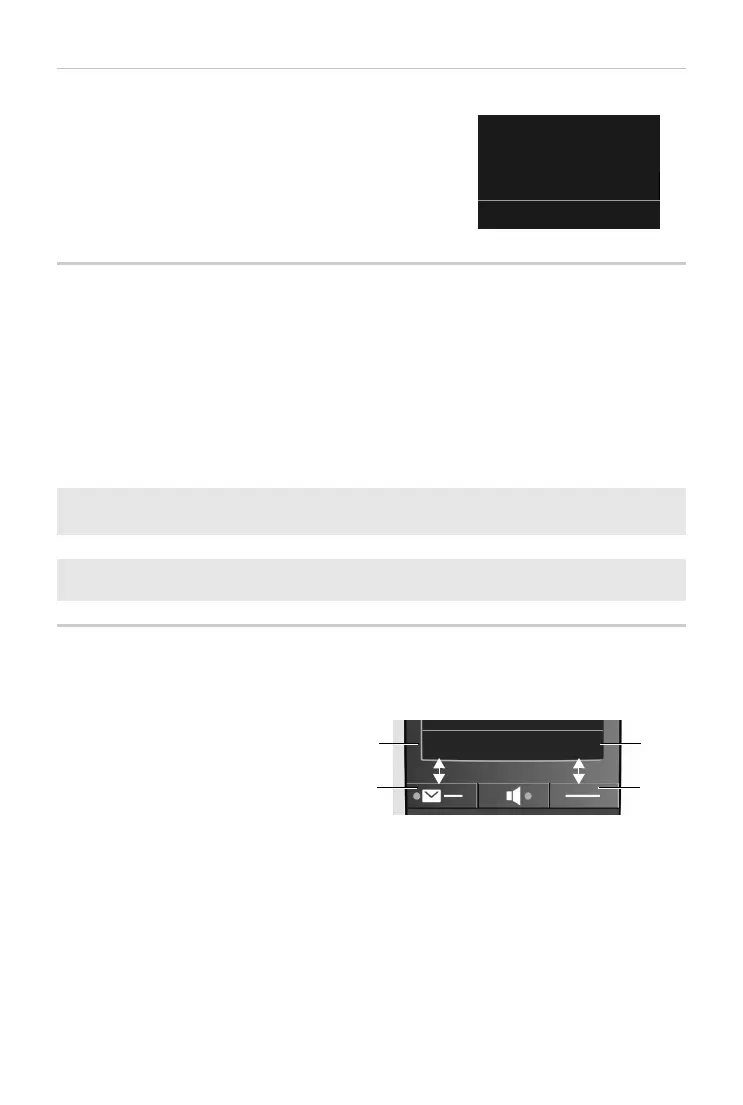
Display keys
The functions of the display keys change depending on the particular operating situ-
ation. Example:
Ð ± U
07:15
01.04.2015
Ë
Menu
i
• It is not possible to call emergency numbers either when keypad lock is
activated.
i
The SOS key still works even if the keypad lock is activated.
1
2
1
2
1
Current display key function
2
Display keys



 To Next Page