Template Module, Version 2.2, 15.11.2022 / Version - 29.11.2022
Making calls
Gigaset Fusion / LUG IE-UK-International en / A31008-XXXXX-XXXX-X-XXXX / telephony.fm / 12/16/22
30
Switching the "Do not disturb" function on and off
Incoming calls are not signalled.
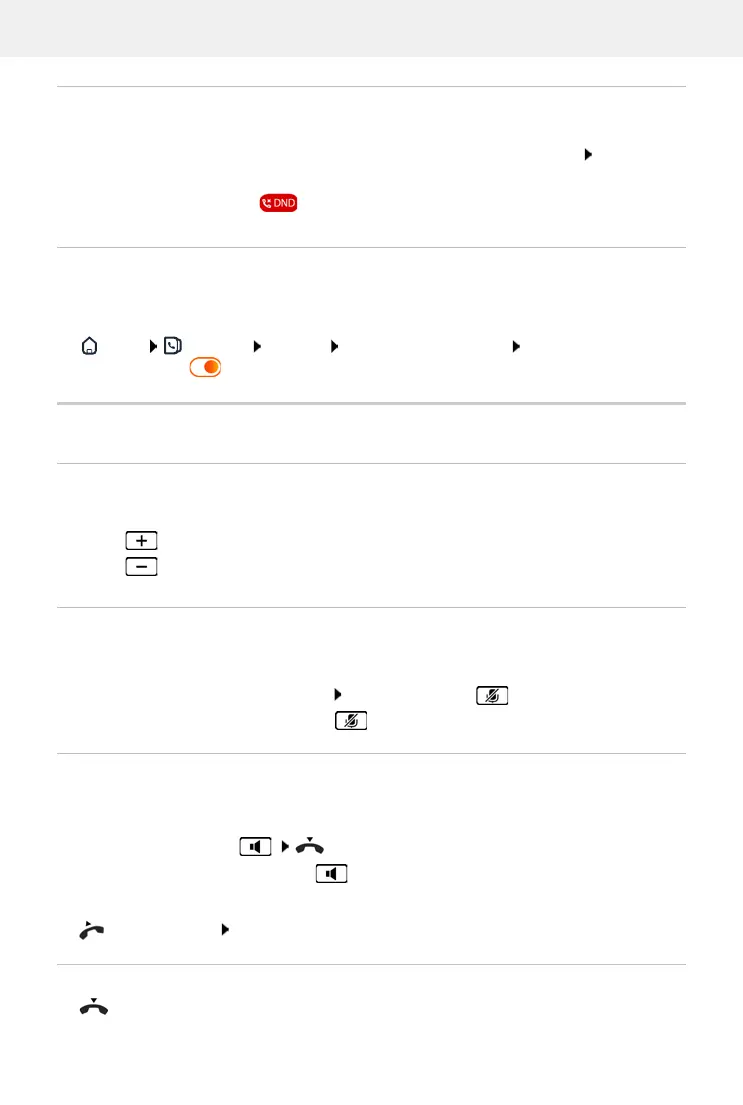
Open quick access: Touch the bar at the top of the display and drag it down Tap Do not
Disturb . . . The function is enabled/disabled
When the function is enabled, is shown on the display instead of the name
Protection from anonymous callers
If enabled, the handset does not ring if a call is from a withheld number.
In Web user interface
Home Contacts Blacklist Block anonymous caller Enable/disable function
with the switch ( = enabled)
During a call
Changing the volume
Changing the volume of the handset, the handsfree function or the headset during a call.
Mute
Switching off the microphone in the handset, the handsfree facility and the headset. The other
party to the call no longer hears what is being said.
Activating/deactivating the microphone: Press the Mute key
Microphone is switched off: the Mute key is illuminated
Switching the handsfree function on/off
Making calls via the speaker and the microphone of the handsfree function.
Switching on the handsfree function during a call:
Press the handsfree key Replace the handset
Handsfree function is switched on: the key is illuminated
Switching off the handsfree function during a call:
Lift the handset Continue the call through the handset
Ending a call
Replace the handset or Hangup
Louder:
The volume can be set at 10 levels. The current setting is displayed.
Quieter:


 To Next Page