Template Module, Version 2.2, 15.11.2022 / Version - 29.11.2022
Call divert
Gigaset Fusion / LUG IE-UK-International en / A31008-XXXXX-XXXX-X-XXXX / telephony.fm / 12/16/22
36
Enabling/disabling Call divert rules
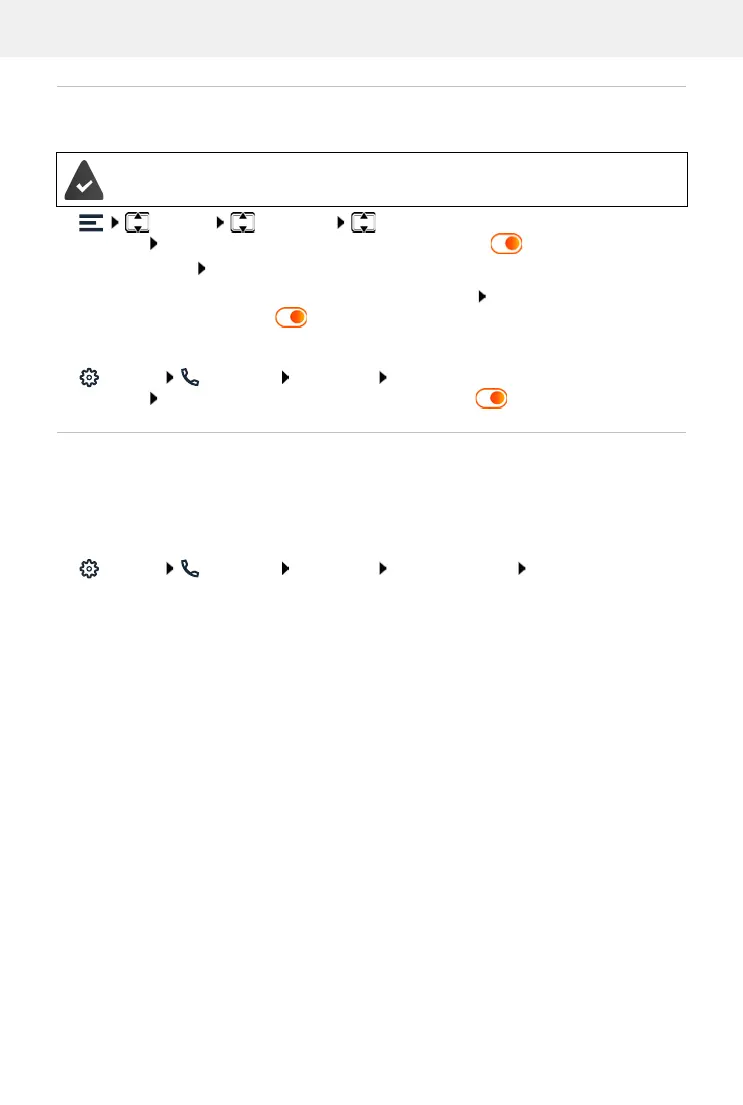
In display menu
Settings Telephony Call divert . . . The created Call divert rules are
displayed Enable/disable the required rule with the switch ( = enabled)
View rule details: Tap the entry
In Web user interface
Settings Tele phony Call diverts Call divert rules . . . The created rules are
displayed Enable/disable Call divert rule with the switch ( = enabled)
Diverting unused numbers
If numbers are still available for the configured connections that are not currently assigned to a
telephone, you can divert calls to these numbers to a specified extension. for example an answer
machine, Reception or a secretariat.
In Web user interface
Settings Tele phony Call diverts Unused numbers Select divert
destination
The Call divert rule is set up in the Web user interface.
or:
Place the Call divert rule as a widget on the display Enable/disable the required
rule with the switch ( = enabled)
Announcement The caller hears an announcement.
Select required announcement from the list
Voicemail number The caller is diverted to a local answer machine.
Select the answer machine from the list
Internal number The caller is diverted to an internal number.
Select the extension from the list
Save the settings:
Save


 To Next Page