MDE-4327B Encore® Canopy Light Kit (M03225K001) Installation Instructions · October 2015 Page 7
Installing Encore Canopy Light Kit
Installing Encore Canopy Light Kit
To install the Encore Canopy Light Kit, proceed as follows:
Removing Sheathing
To remove the sheathing and covers, proceed as follows:
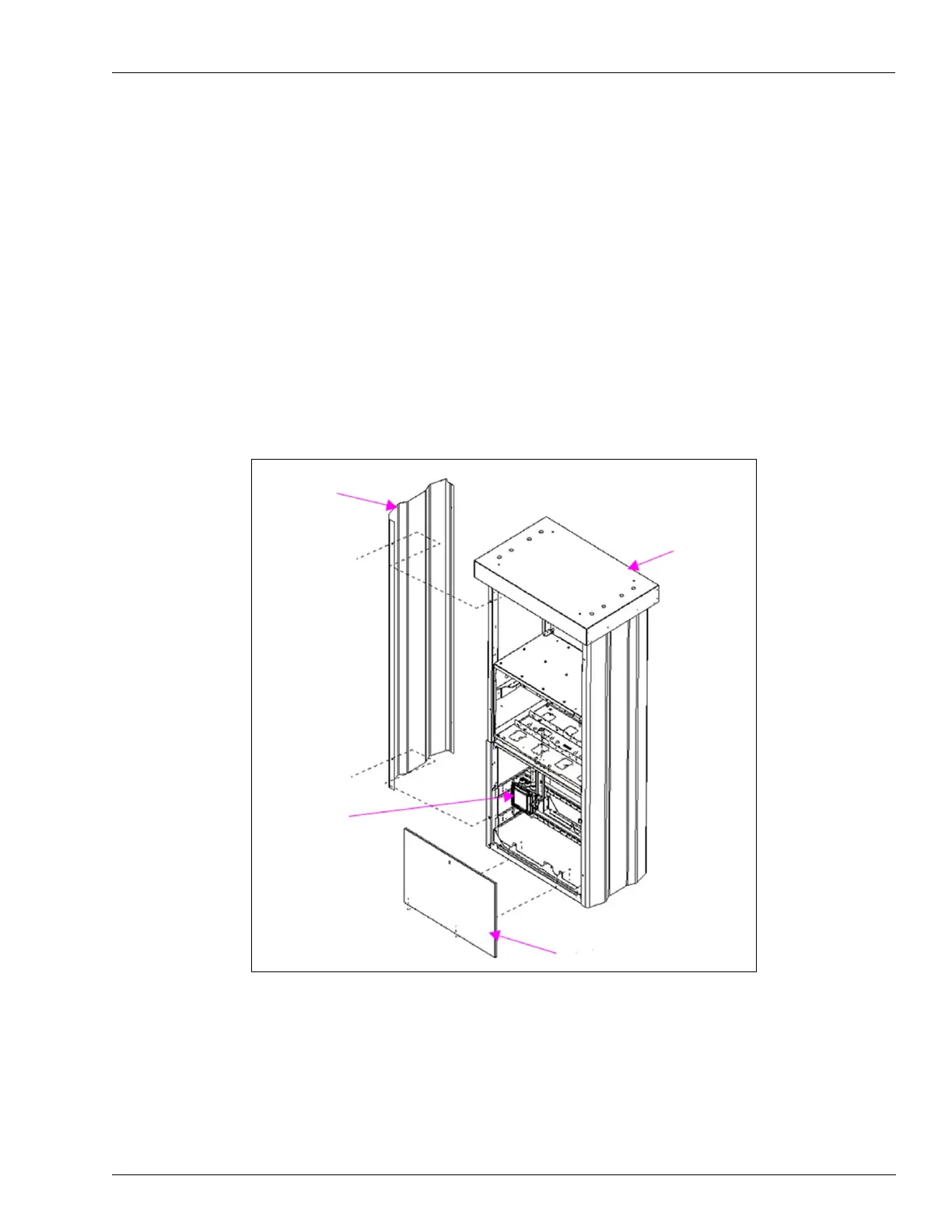
1 Open and remove the lower panel locking access door on the front of the unit on side 1
(see Figure 1) where the front of the Junction
-box (J-box) is visible.
2 Remove the outer column sheathing on the left side. Retain the mounting hardware for
reinstallation.
Figure 1: Removing External/Cosmetic Sheet Metal from Encore Unit
Outer Column
Sheathing
Left
Side 2
Upper
Housing Top
Cover
Right
Side 1
Lower Panel
J-box
3 Place all the external/cosmetic sheet metal that has been removed in a safe place to prevent
damage during the kit installation.


 To Next Page