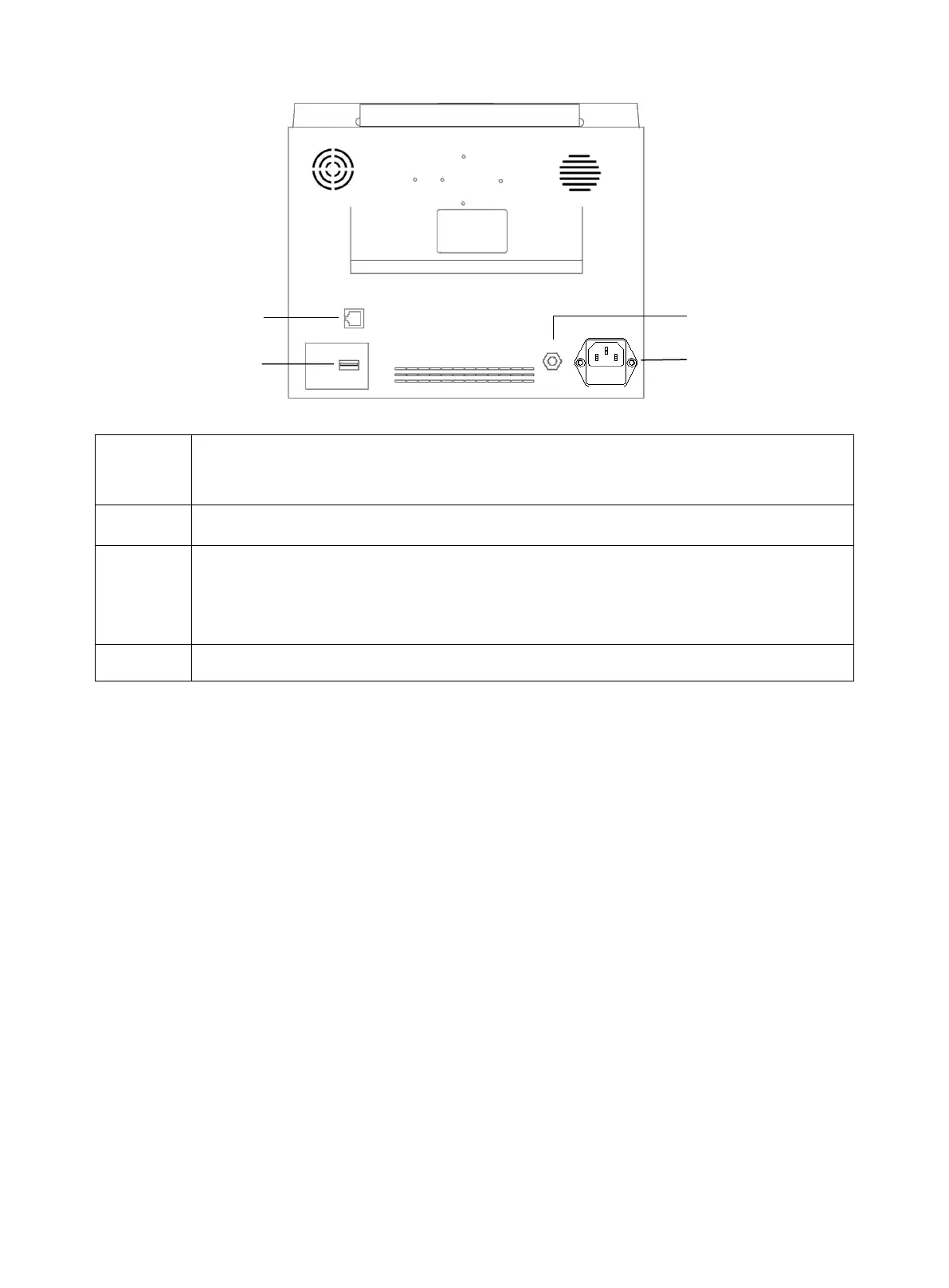
CMS9000
Network interface: standard RJ45 interface, connecting with the central monitoring system of our
company by network cable
USB port: connecting with external memory devices
Equipotential grounding terminal: when the monitor is used together with other equipment, use a
cable to connect other equipment to the equipotential terminal of the monitor, which eliminates the
ground potential difference between the different devices to ensure safety.
AC power port. Fuse: T1.6AL250V
NOTE:
l Replacement of fuse: unplug the power cord, lightly open the fuse slot with a tool to replace the fuse.
l The network interface can only connect with the central monitoring system of our company to form a
network monitoring system.



 To Next Page