² "Mute 112 ": display the status of the alarm silence, and the counting down the time that the alarm sound is
silenced for. shows that the alarm sound is enabled; shows that the alarm sound is silent temporarily for
120 seconds; shows that the alarm sound is disabled.
Operation instruction:
Ø Short pressing the display view " " key to shift screen views.
Ø Long press the display view " " key to enter into Menu setup screen.
Ø For monitor without ECG function, hold Auxiliary key " " firstly, then press NIBP setup key " ", by doing
this it can lock / unlock key operation. For monitor with ECG function, hold ECG lead key " " firstly, then
press NIBP setup key " ", by doing this it can lock / unlock key operation.
Note: This function is available in any screen view, we will not cover it again in the following.
Ø Short press the print key " " to activate printing with the format specified by “Setup Menu→System→Print” if
the printer is installed.
The following operation is also for the monitor with ECG function.
Ø Pressing OK " " key to freeze / unfreeze ECG waveform.
Ø Short pressing Lead " " key to shift the ECG lead.
Ø Short pressing Up/Down(" " / " " ) key to change ECG waveform gain.
Note: there are 7 screen views (depending on your configuration): default screen, screen for real-time ECG waveform
only, NIBP list screen, SpO
2
data list screen, alarm event list screen, screen for graphic trend and ECG waveform recall.
The following sections will describe each one of these 7 screens.
4.3 Screen for Real-time ECG waveform Only (Optional)
Note: this screen is only for the monitor with ECG function.
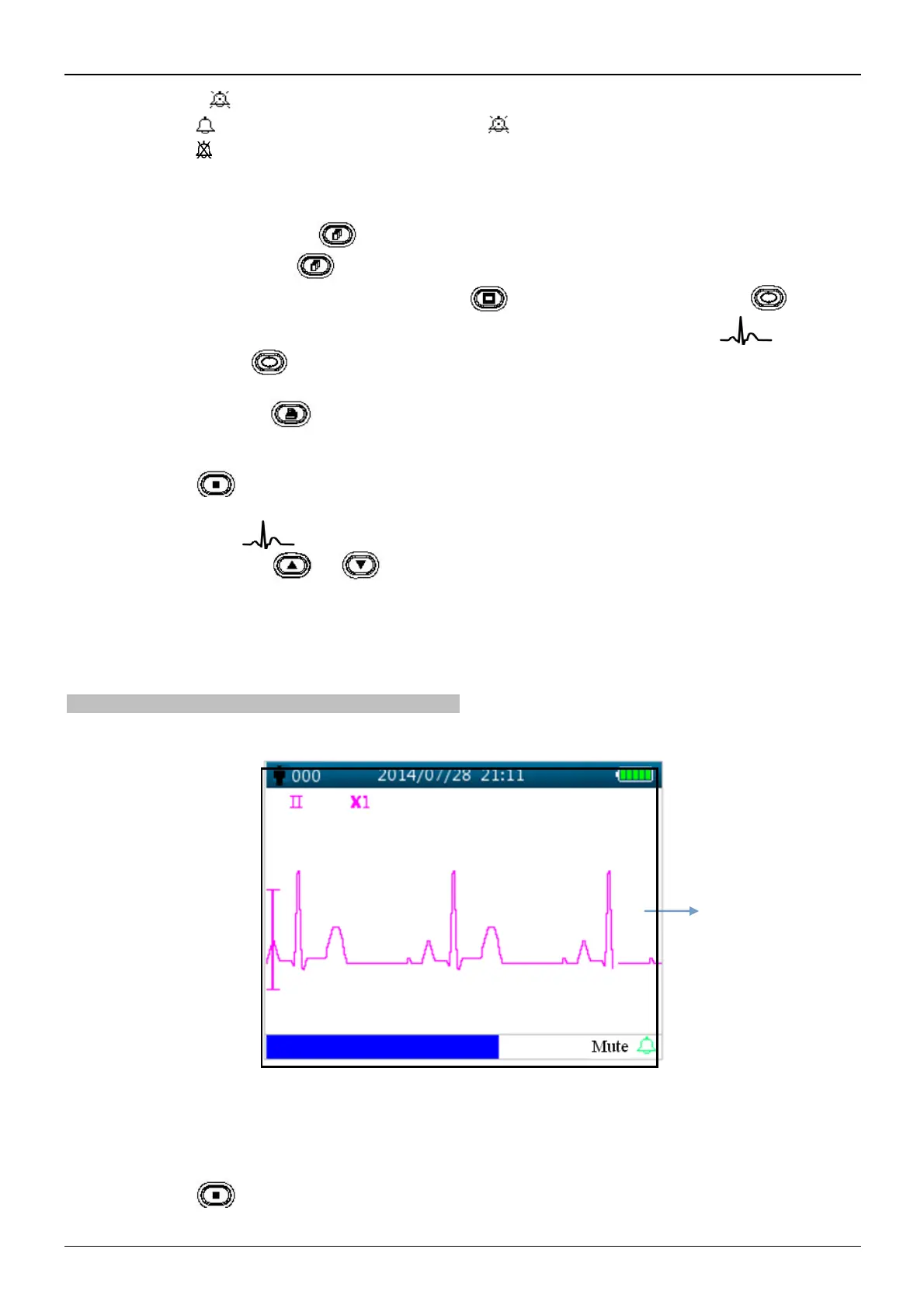
Real-time ECG waveform screen is as shown in figure 4.3.
Figure 4.3 Real-time ECG waveform screen
² "II": ECG lead.
² "X2": ECG waveform gain.
Operating instructions:
Ø Pressing OK " " key to freeze / unfreeze ECG waveform.



 To Next Page