Ø Short pressing Lead " " key to shift the ECG lead.
Ø Short pressing Up/Down(" " / " " ) key to change ECG waveform gain.
Ø Short pressing Print " " key to start / stop printing real-time ECG waveform.
4.4 Screen Display for ECG Waveform Recall (Optional)
Note: this screen is only for the monitor with ECG function.
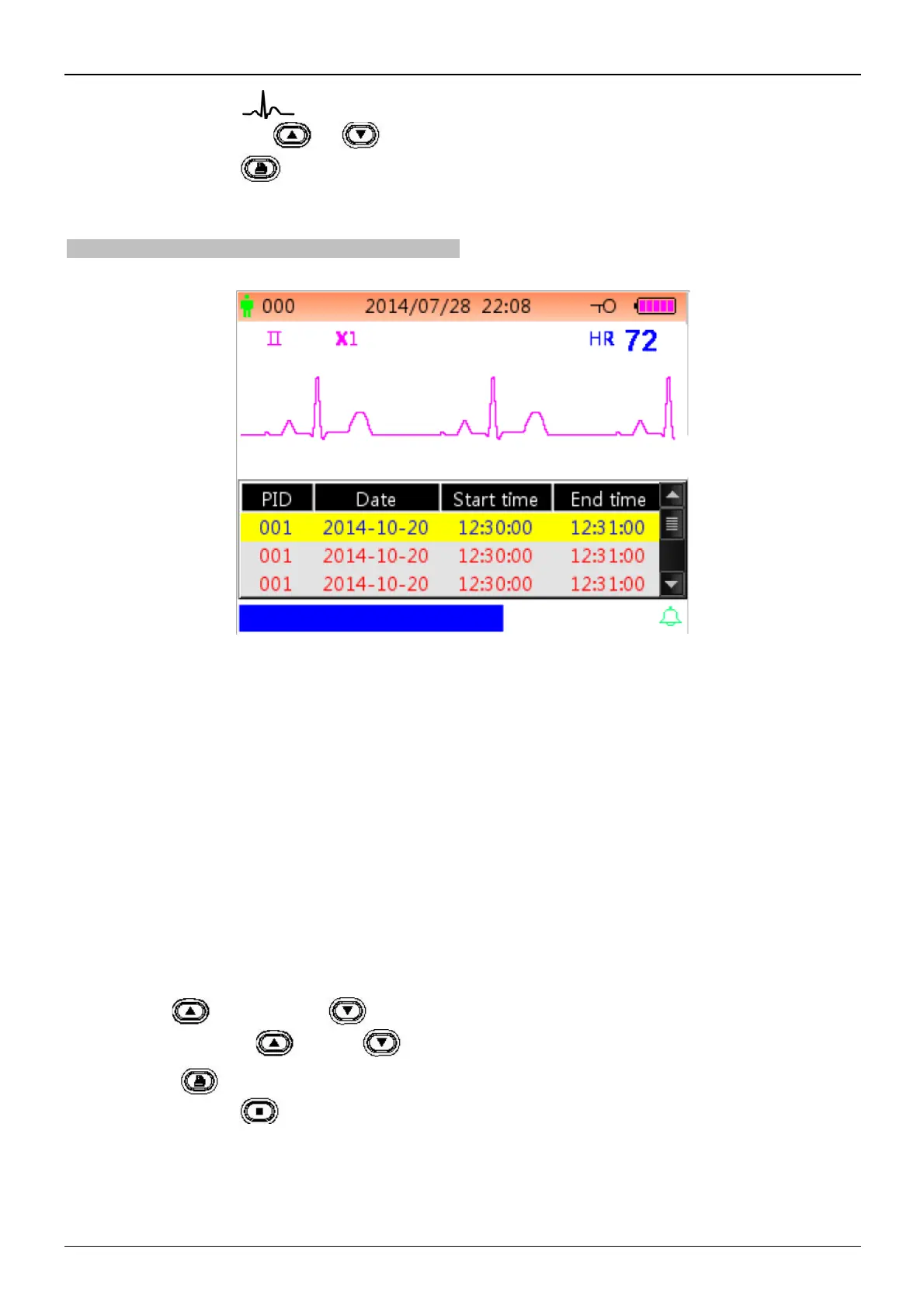
ECG waveform recall screen is as shown in figure 4.4.
Figure 4.4 ECG waveform recall screen
ECG waveform displaying area:
² "II": ECG lead.
² "X1": waveform gain.
² "HR 72": heart rate mark and the measured heart rate.
ECG records list area:
² "PID": the patient ID number.
² "Date": the date of ECG measurement record.
² "Start Time": the start time of ECG measurement record.
² "End Time": the end time of ECG measurement record.
Note: one single ECG record starts from the valid ECG signal (when message "Lead off" disappears) and finishes when
ECG lead is off. One single ECG record is not longer than 1 hour.
Operating instructions:
Ø Press Up “ ” key or Down “ ” key to select one ECG record, then press OK key to recall the selected
ECG waveform. Press “ ” key or “ ” key to scroll the ECG waveform forward / backward.
Ø Press print " " key to print the selected ECG waveform record.
Ø Long pressing OK " " key, then a dialog of deleting records pops up, as shown in figure 4.5, the user can
delete all history ECG waveform data according to prompt.



 To Next Page