Ø Short press the print" " key to print this trend graph.
4.9 Setup Menu Screen
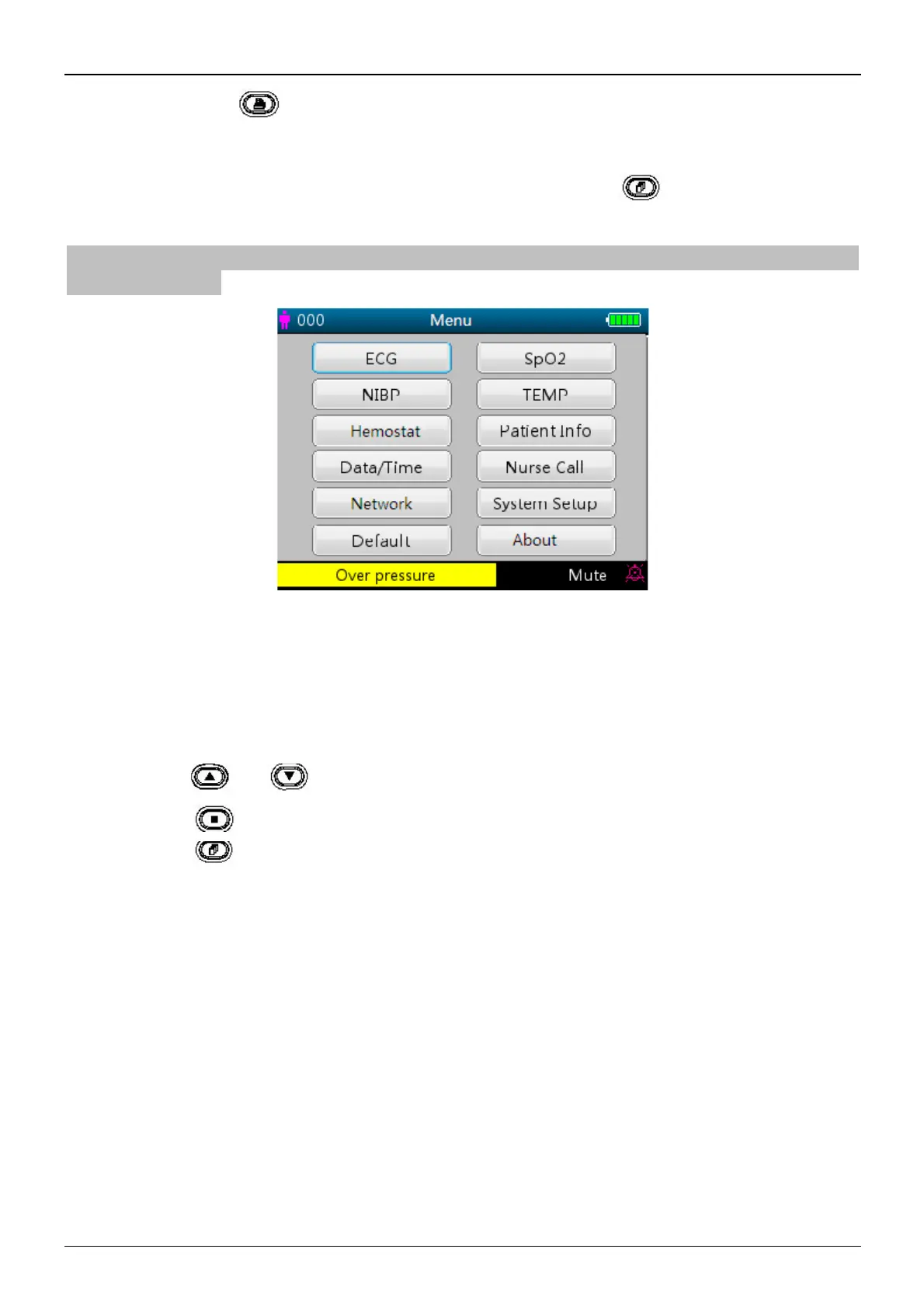
The Setup Menu screen is the main menu screen and a long press of Display View “ ” key will enter into the Setup
Menu screen, as shown in Figure 4.10.
Note: your monitor may not cover all the functional parameter settings listed in the main menu screen. Please refer to the
monitor you purchased.
Figure 4.10 Root setup menu screen (refer to your monitor)
There are up to 12 functional groups for setting parameters: “ECG, SpO
2
, NIBP, TEMP, Hemostat, Patient Info,
Date/Time, Nurse Call, Network, System Setup, Default and About” on the Setup Menu Screen depending on the
configuration of your monitor.
Instructions for navigation parameters:
1. Short press the “ ” or “ ” key to shift the cursor to corresponding functional group setting.
2. Short press the “ ” key to confirm and enter into the corresponding functional parameter setup screen.
3
. Short press the “ ” to exit from the Setup Menu Screen.
Note: the device will save the latest setup settings automatically and the most of saved settings are non-volatile, i.e.
when you shut down the device and power up it next time, every setting item shows the settings saved last time except
the items like ECG cable setting and NIBP working mode.



 To Next Page