Ø Long press the " "key to bring up a dialogue for deleting data records, where the user can choose to delete all
alarm events data.
4.8 Trend Graph Di splay (for SpO
2
Option)
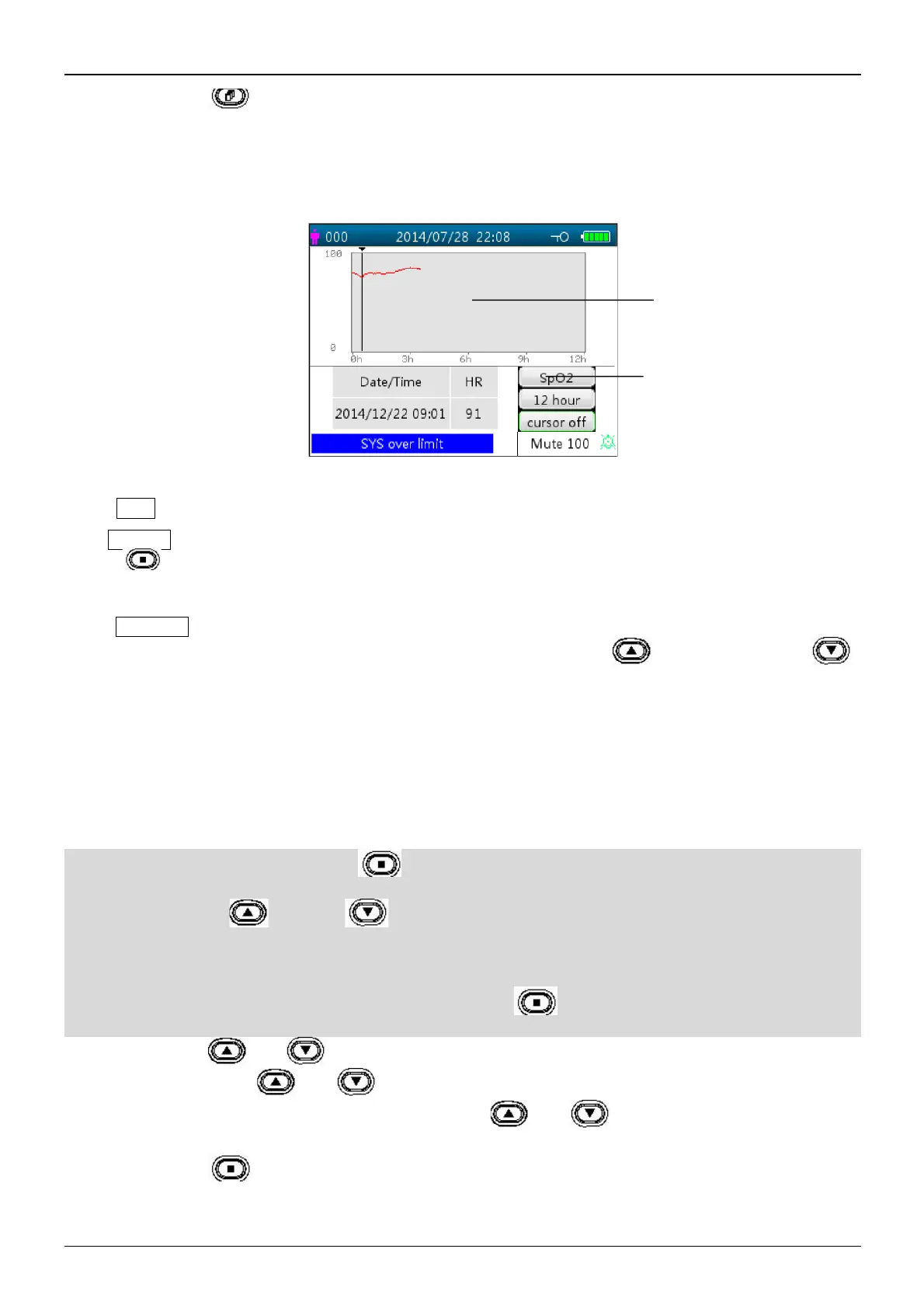
The trend graph display screen is as shown in Figure 4.9.
Figure 4.9 Trend Graph screen
Screen description
² "SpO
2
": SpO
2
trend graph. If the monitor has ECG function, then "SpO
2
" and "HR" can be optional.
² “12 hours”: the trend length of SpO
2
trend graph; there are three options: “12”, “24” or “96” hours. Press OK
" " key to select the trend length from "12 Hour", "24 Hour" and "96 H our", then the trend graph will
display the SpO
2
trend curve for the selected period.
² “Cursor on”: enables the display of cursor on the trend graph, i.e. the vertical cursor line will be displayed in the
trend graph, so the user can move the cursor by pressing the up/forward " " and down/backward " "
keys to inspect the SpO
2
value at the given time.
² “SpO
2
”: indicates that the trend graph is for SpO
2
, and the value below it shows the SpO
2
value at the cursor
position.
It can be “PR” or “HR” (for monitor with ECG function) by selection.
² "Date/Time": the starting time of the trend graph.
Instructions for viewing the trend graph:
Ø Select “cursor on” and press the OK “ ” key to confirm, and “cursor on” switches to “cursor off”. You can
then press the up “ ”or down “ ” key to move the vertical cursor and the list box below will display
SpO
2
/HR value and the time value at the point where the cursor resets. Moving the cursor back and forth this way,
you can view the SpO
2
/HR trend (12/24/96 hours long). Press “ ” key again to exit trend viewing.
Ø When pressing “ ” or “ ” key to move the cursor, the increment is variable. The rule is that the initial step
is 1, after pressing the “ ” or “ ” key in the same direction 5 times, the step becomes 5, and with 5 more
pressing the step becomes 10, then 20. Pressing the other “ ” or “ ” key will revert the step back to 1 in
the other direction.
Ø Long press the " "key to bring up a dialogue for deleting data records, where the user can choose to delete all
trend data.



 To Next Page